💸 Withdrawals Requests
Withdrawals Overview
This table provides a comprehensive overview of all withdrawal requests made by merchants. It includes details such as:
-
Country: The accounts specified in the merchant dashboard will receive payments to the destination country
-
Merchant: The merchant associated with the withdrawal request
-
Payment Mode: The payment method used for the withdrawal request (e.g., Mobile Money, Bank Transfer, Crypto currency)
-
Amount: The total amount requested for withdrawal
-
Merchant Description: A brief description provided by the merchant for the withdrawal request
-
Status: The current status of the withdrawal request (e.g., PENDING, ACCEPTED, REJECTED)
-
Created at: The date and time when the withdrawal request was created
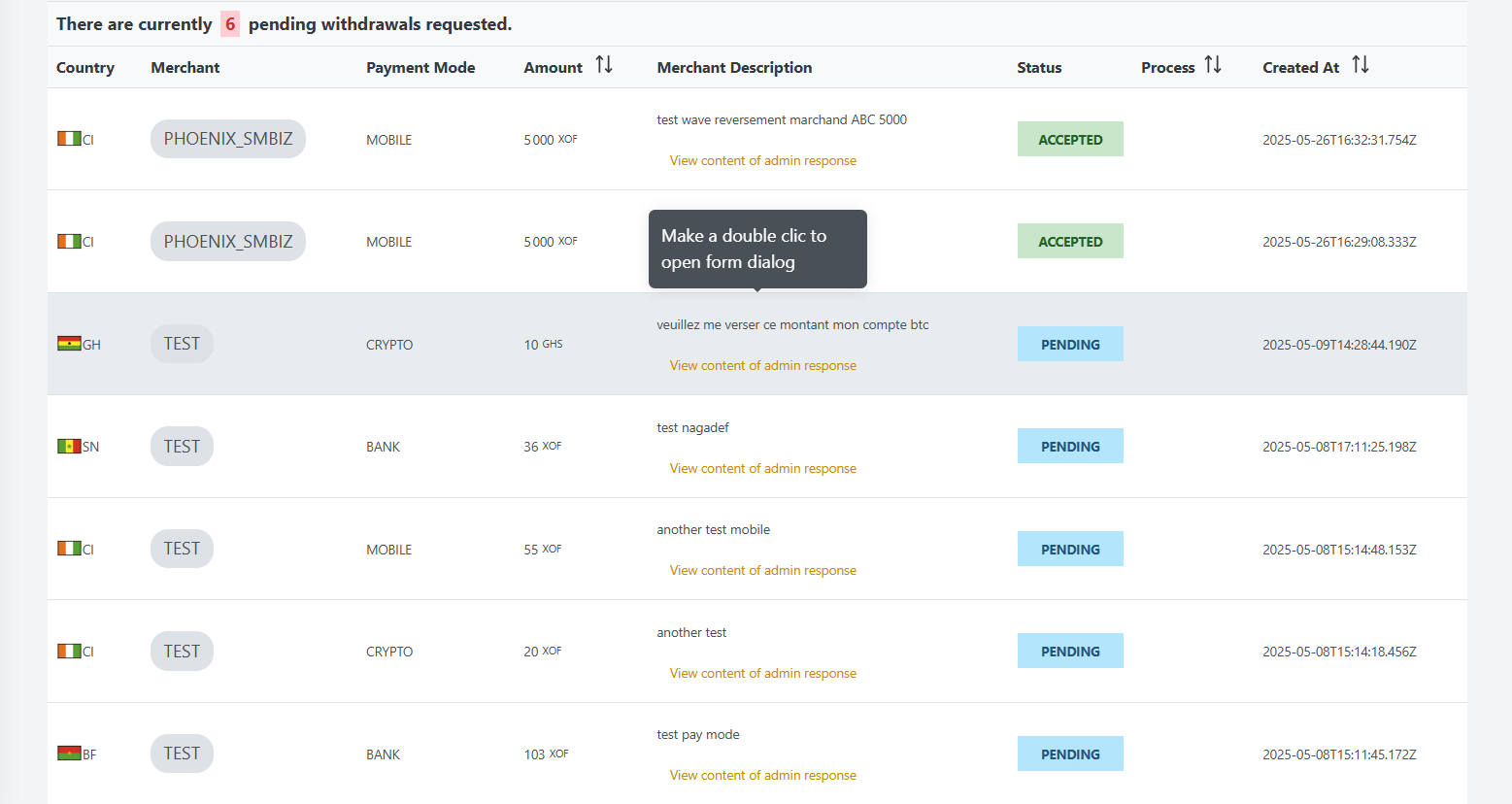
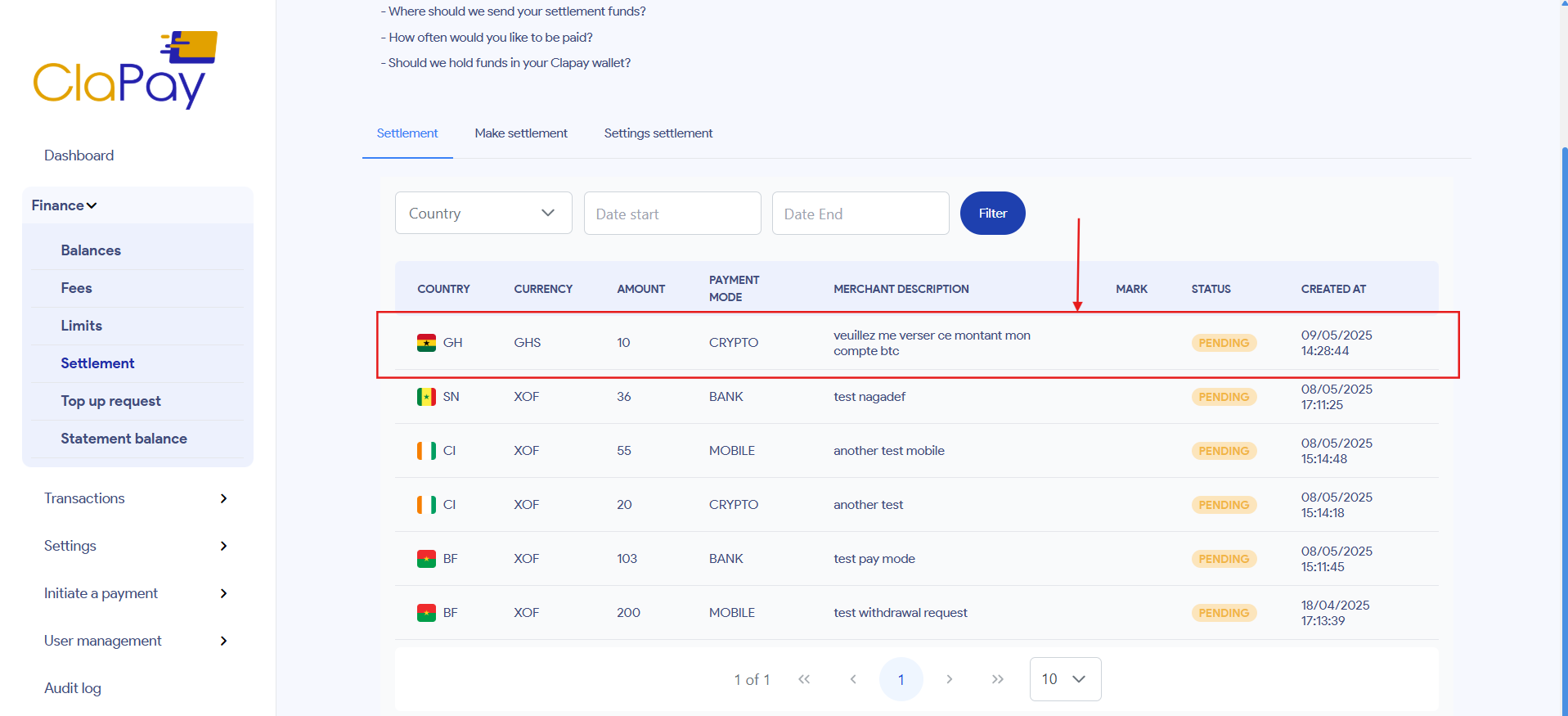
Did you notice the grayed-out line in the table above? This line corresponds to a refund request made by the merchant TEST from their dashboard, as shown in the following image:
What are features?
🔍 Search withdrawals requests
The search functionality allows you to quickly find specific withdrawal requests based on various criteria such as:
-
Country: Specify a country to find requests associated with that location.
-
Merchant: Filter requests by the merchant's name.
-
State: Search for requests by their current status (e.g., PENDING, ACCEPTED, REJECTED).

For Example
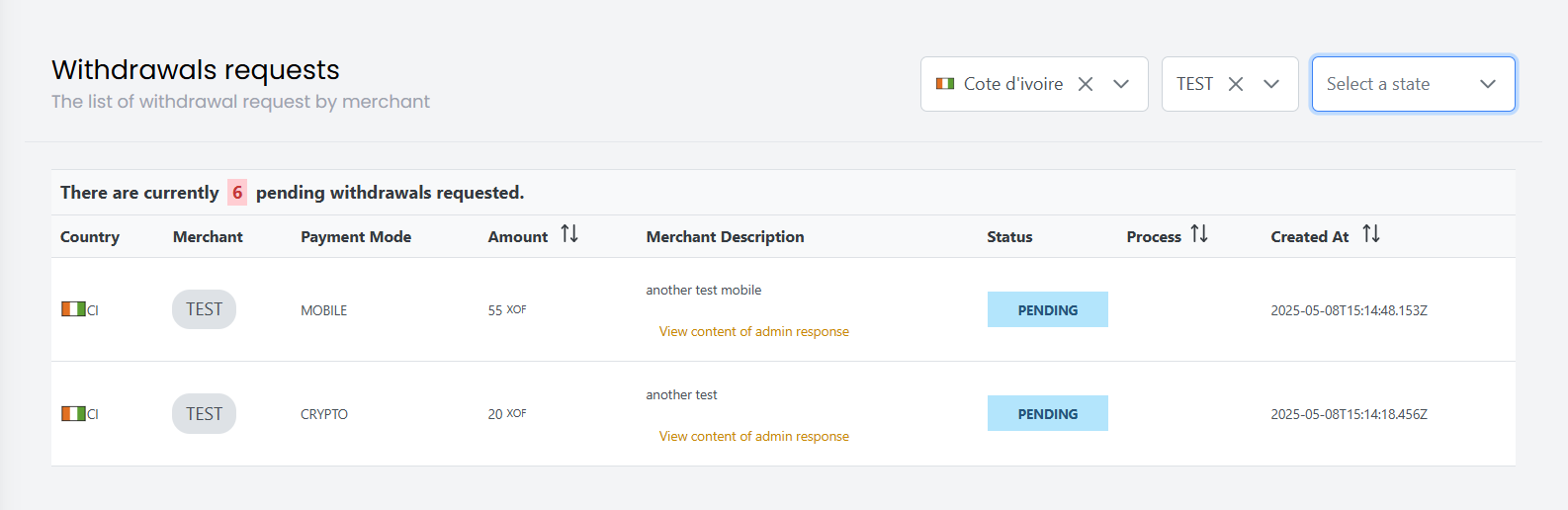
We can search for all withdrawal requests made by the merchant TEST for Ivory Coast (🇨🇮).
✅ Accept or reject a Withdrawal Request
To accept or reject a withdrawal request, follow these steps:
-
Locate the withdrawal request you want to accept using the search functionality or by browsing the table list.
-
Make a double click on the row of the request to open form dialog you will use to accept the request.
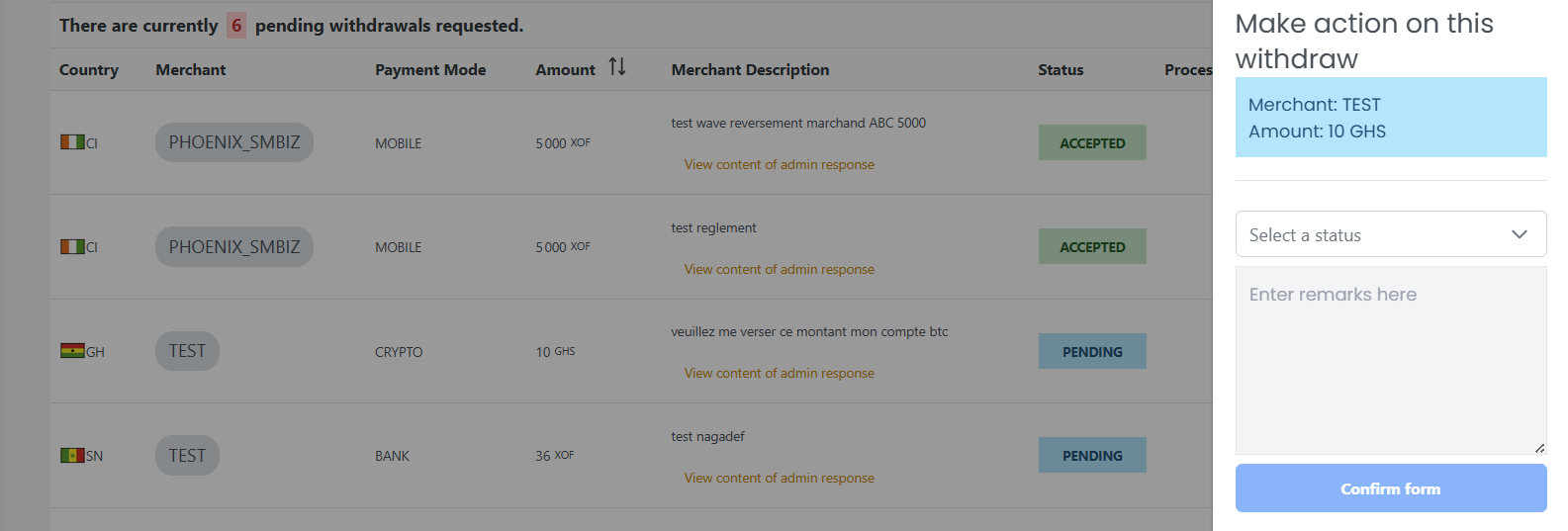
- Fill form, and choose whether to accept or reject the request, next click on the Confirm form button.
The request will be processed, status will be ACCEPTED and the merchant will be notified of the acceptance in her dashboard.
The request will be rejected, status will be REJECTED and the merchant will be notified of the rejection in her dashboard.
Was this page helpful?