Settlement
The Settlement section is crucial for managing and monitoring the settlement process in the ClaPay Back Office.
It provides a comprehensive overview of all transactions, including their status and details.
To receive payments through ClaPay, you'll need to provide a few essential details.
This ensures proper configuration of your payout process and wallet management.
💰 Settlement Process
After collecting funds via ClaPay, you can initiate the settlement process to receive your payments. This process is composed of two main parts:
- ⚙️ Configuring payout methods in the
Settlementtab - 🧾 Submitting settlement requests in the
Make Settlementsection
These steps ensure that your payout process is correctly set up, secure, and adapted to your business preferences.
⚙️
1. Configure Payment Methods
Before receiving payments, you must specify how ClaPay should pay you. This configuration takes place in the Settlement tab.
🪜 Steps:
- Navigate to the tab Settings settlement
- Define your preferred payment methods, such as:
- 🏦 Bank account
- 📱 Mobile money
- 🪙 Cryptocurrency
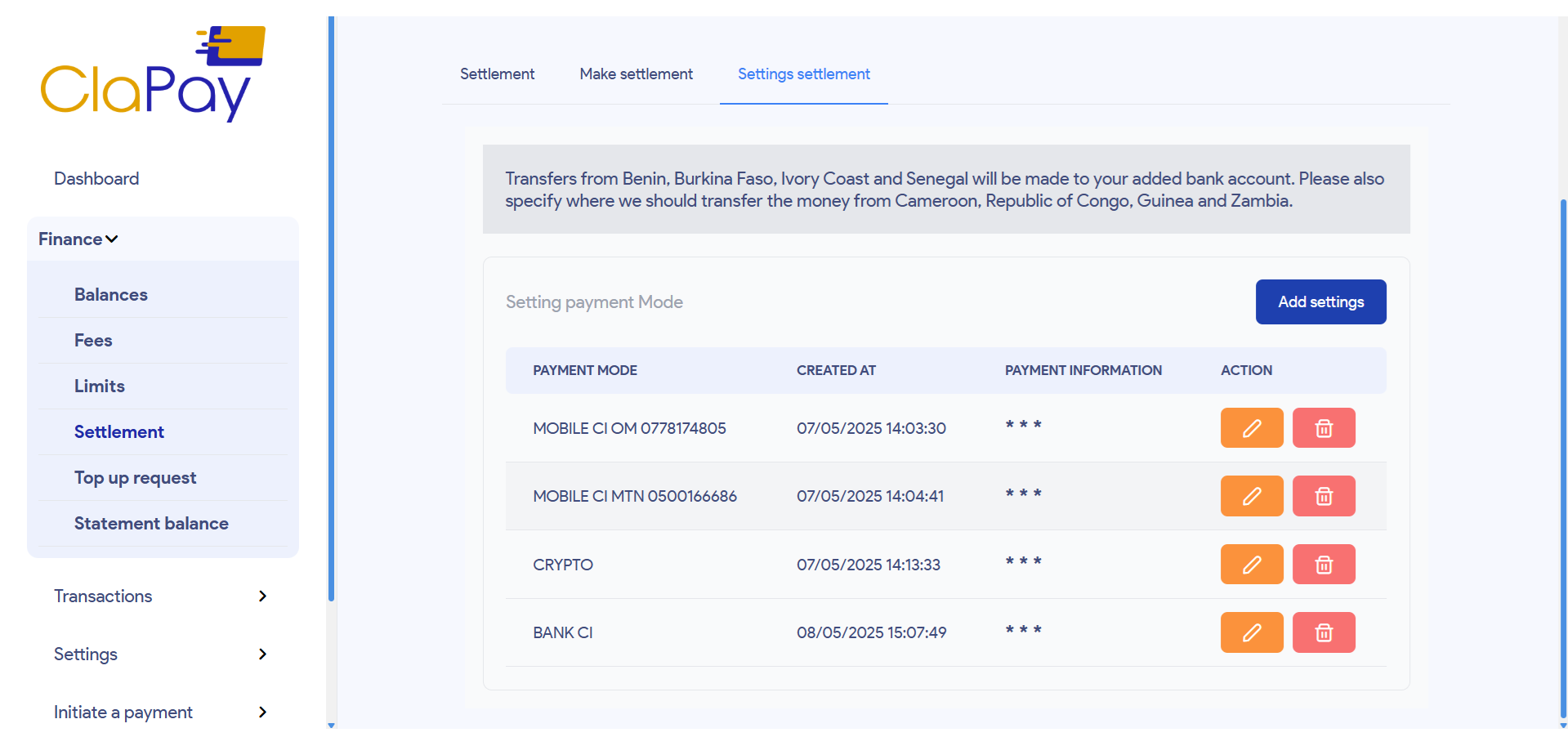
These methods will be stored and displayed in a table of settlement settings.
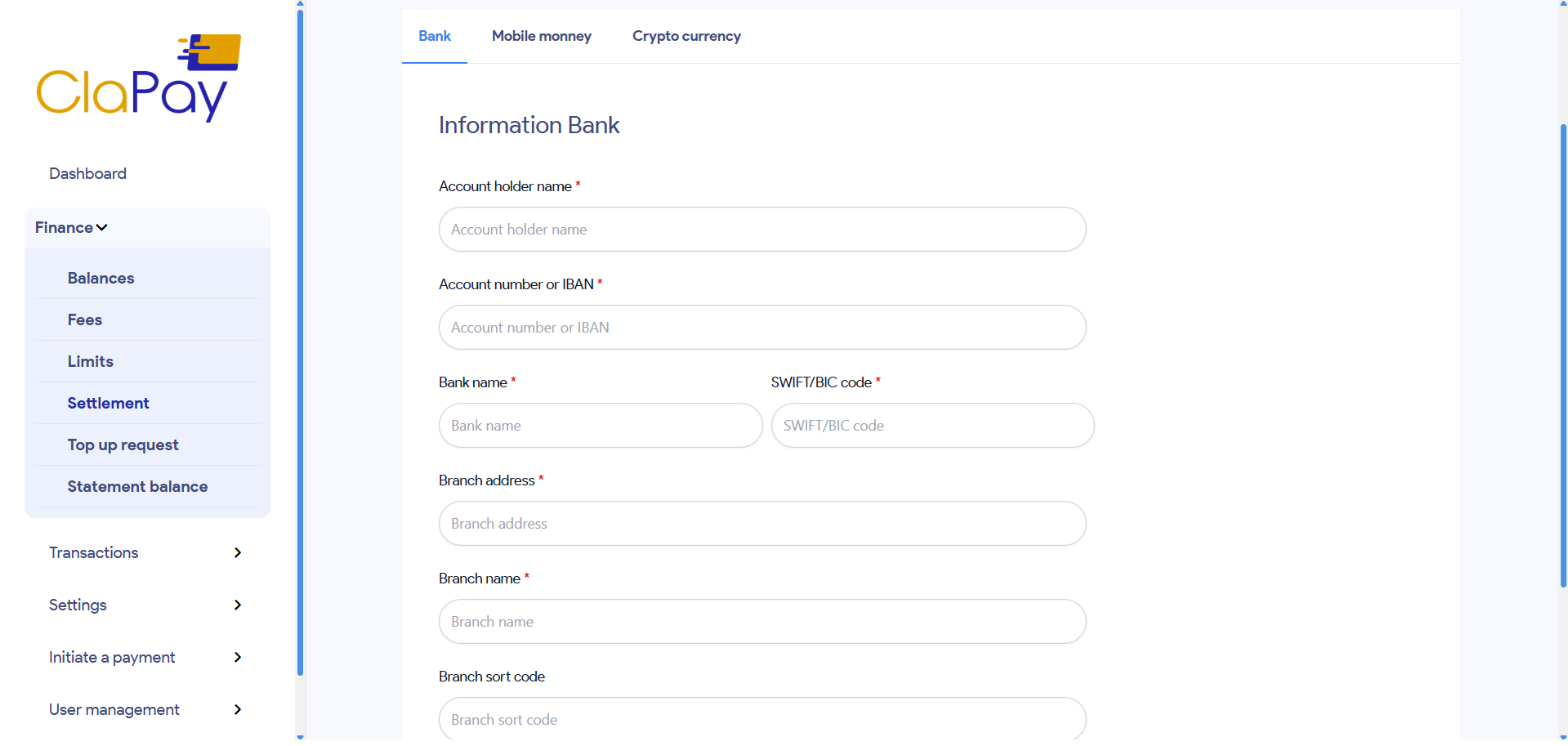
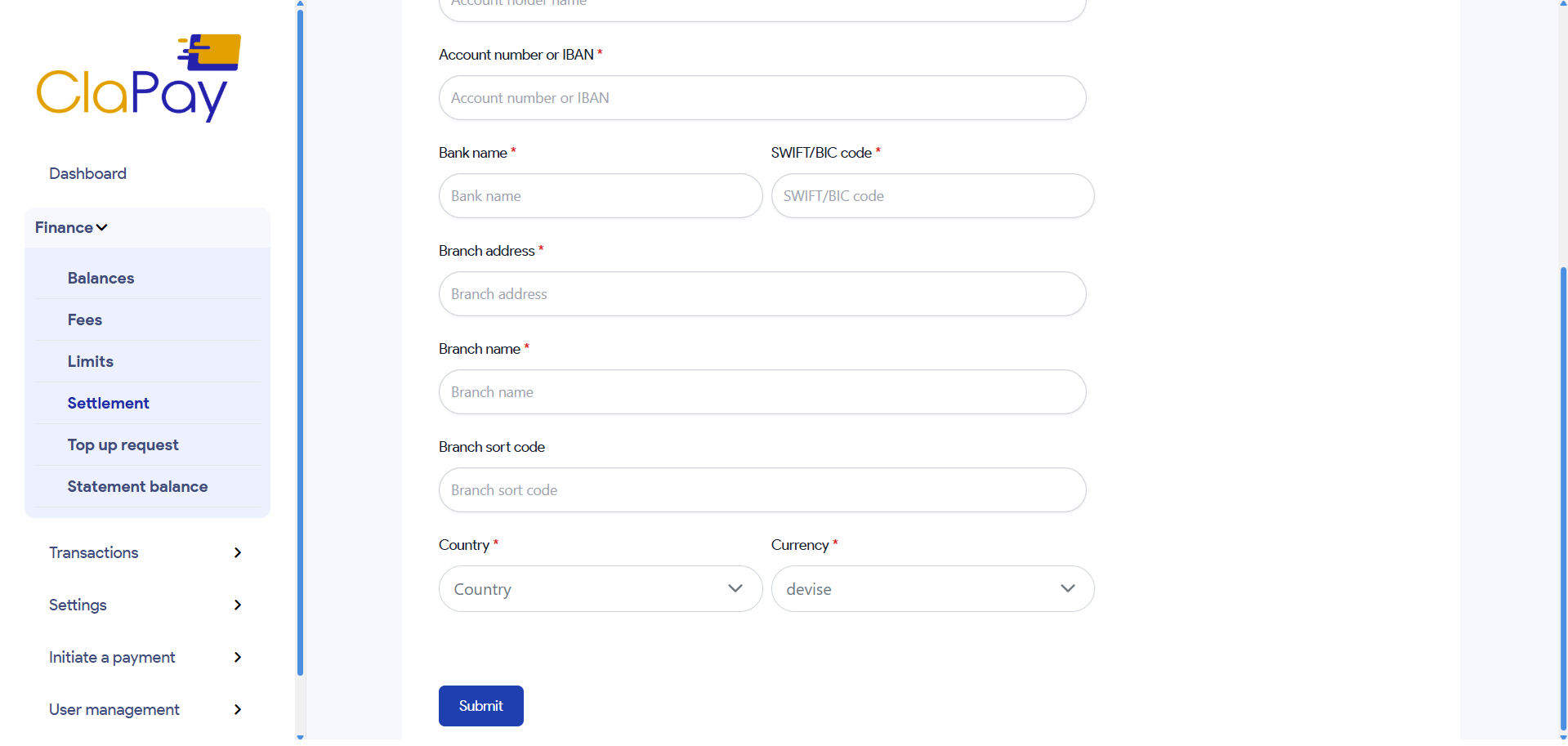
🏦 For Bank Account
Here's how to set up a bank account for payouts:
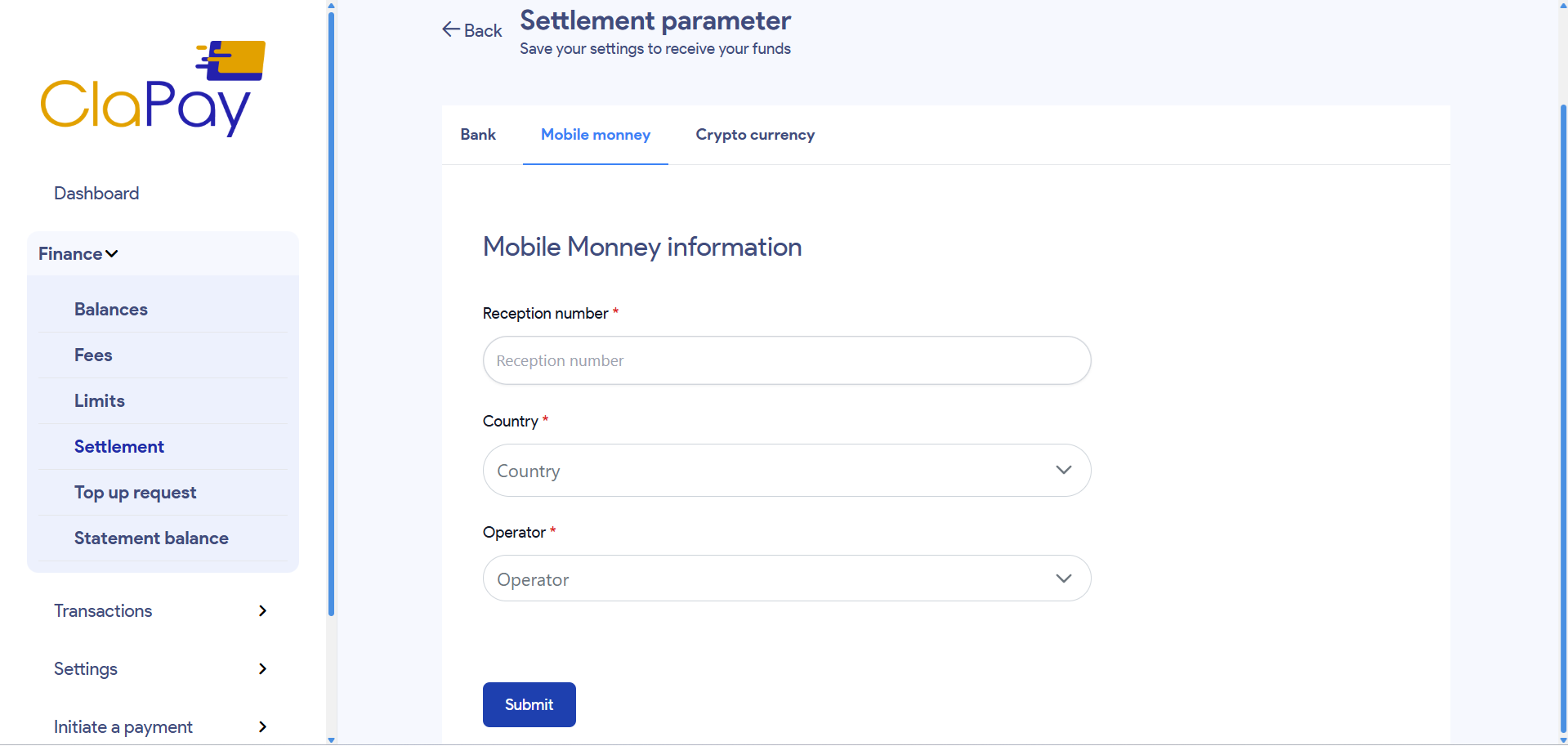
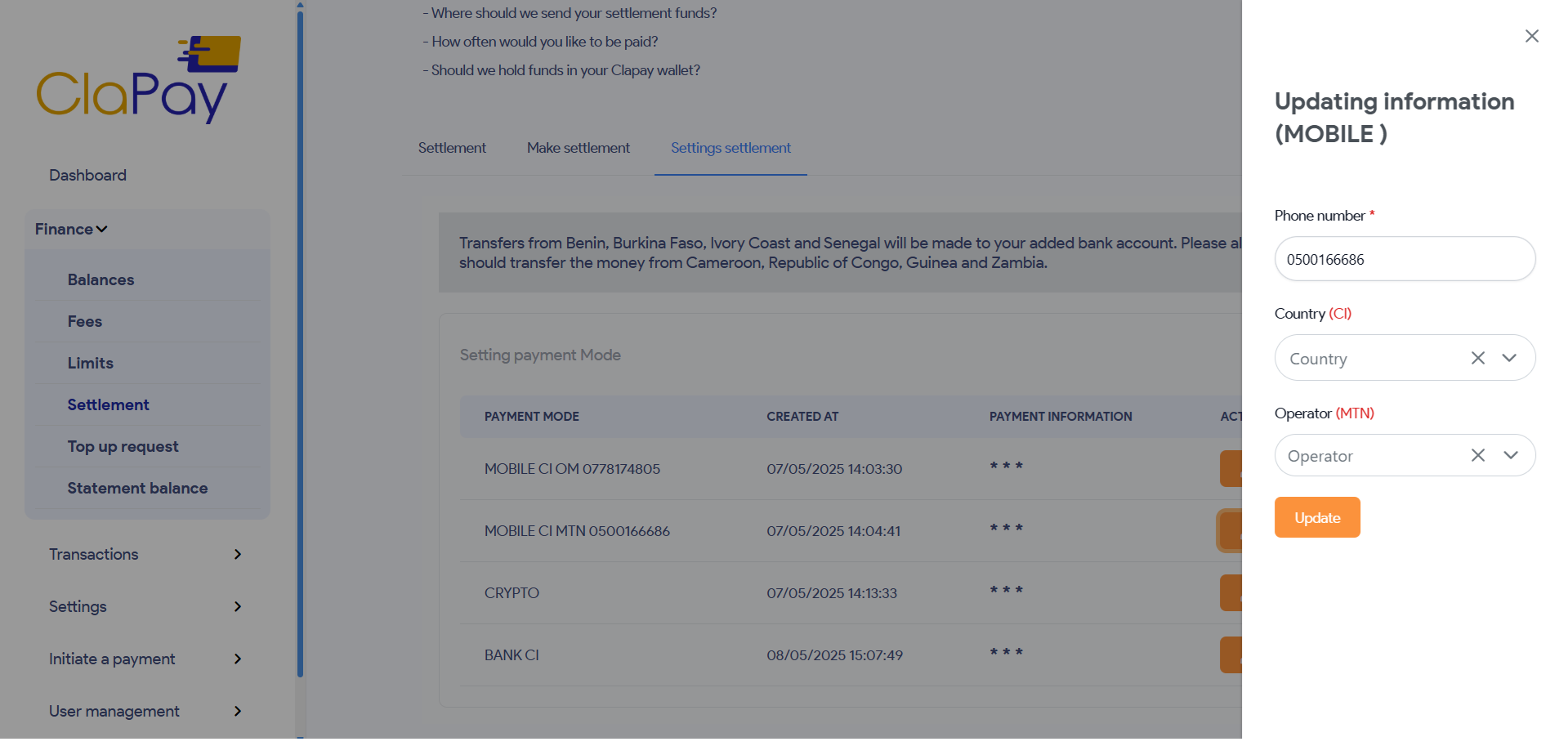
📱 For Mobile Money
Here's how to set up a mobile money account for payouts:
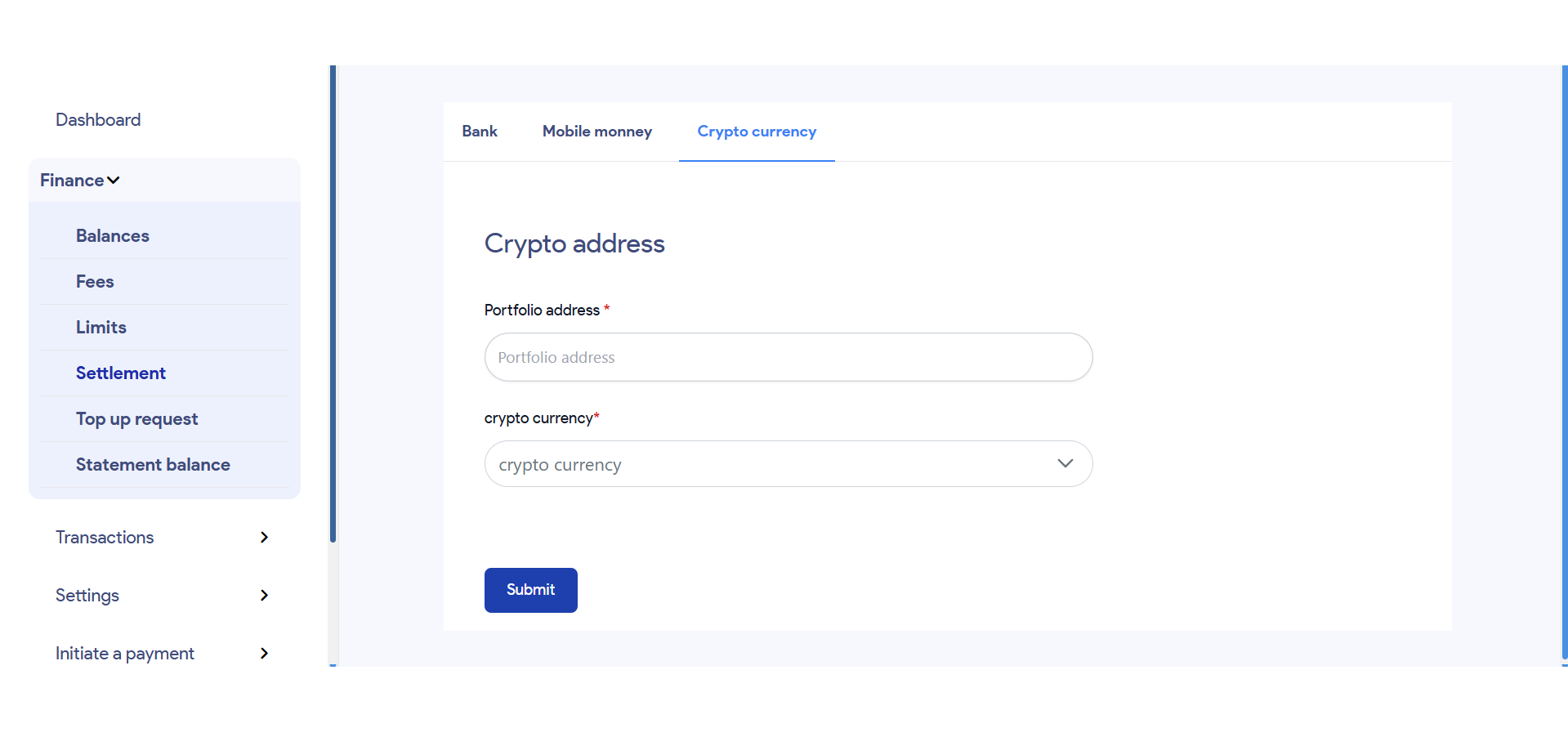
🪙 For Cryptocurrency
Here's how to set up a cryptocurrency wallet for payouts:
📋 Table of Payment Settings
Each configured payment method will appear in a table where you can:
- 🔍 View details by clicking on the
***button at the end of each row
- ✏️ Edit a method if necessary
- 🗑️ Delete a method that is no longer needed
This setup ensures flexibility in how you receive your funds and allows for easy management of multiple payout options.
🧾 2. Submit a Settlement Request
Once your payment methods are configured, you can request a payout by navigating to the Make Settlement section.
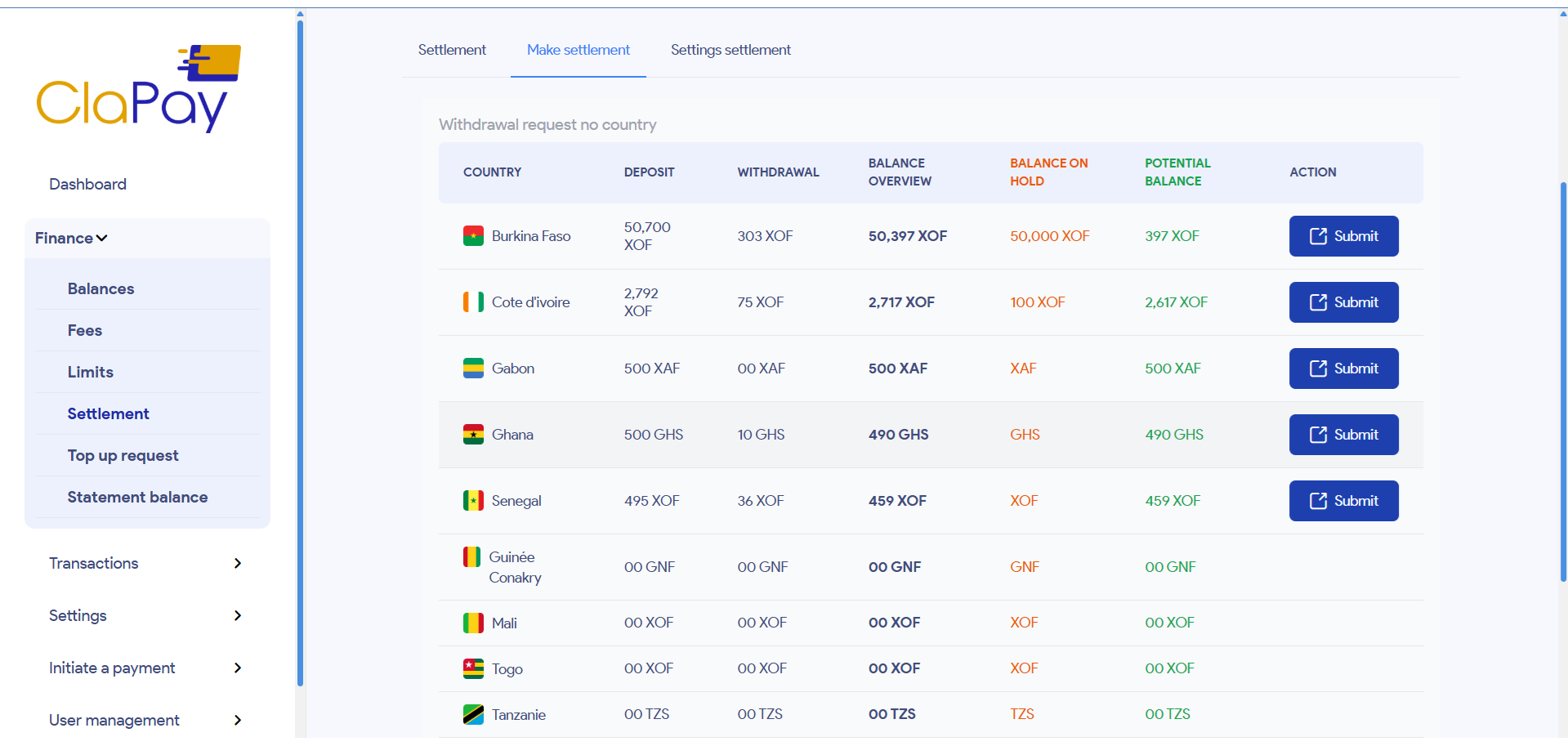
📊 Settlement Table Overview
In this section, you’ll see a table displaying your financial data per country, including:
- 💼 Potential Balance – the total amount available for settlement
- 🔒 Hold Balance – the amount currently on hold and not available for withdrawal
- 📤 Withdrawals – past withdrawals
- 📥 Deposits – recent fund inflows
📝 Submitting a Request
For each country listed in the table, if your available balance is sufficient:
- Click the Submit button on the desired row
-
A form will appear asking for:
- 📌 The payment method (chosen from those defined earlier)
- 💲 The amount you wish to settle
- 🧾 An optional description to add context to your request
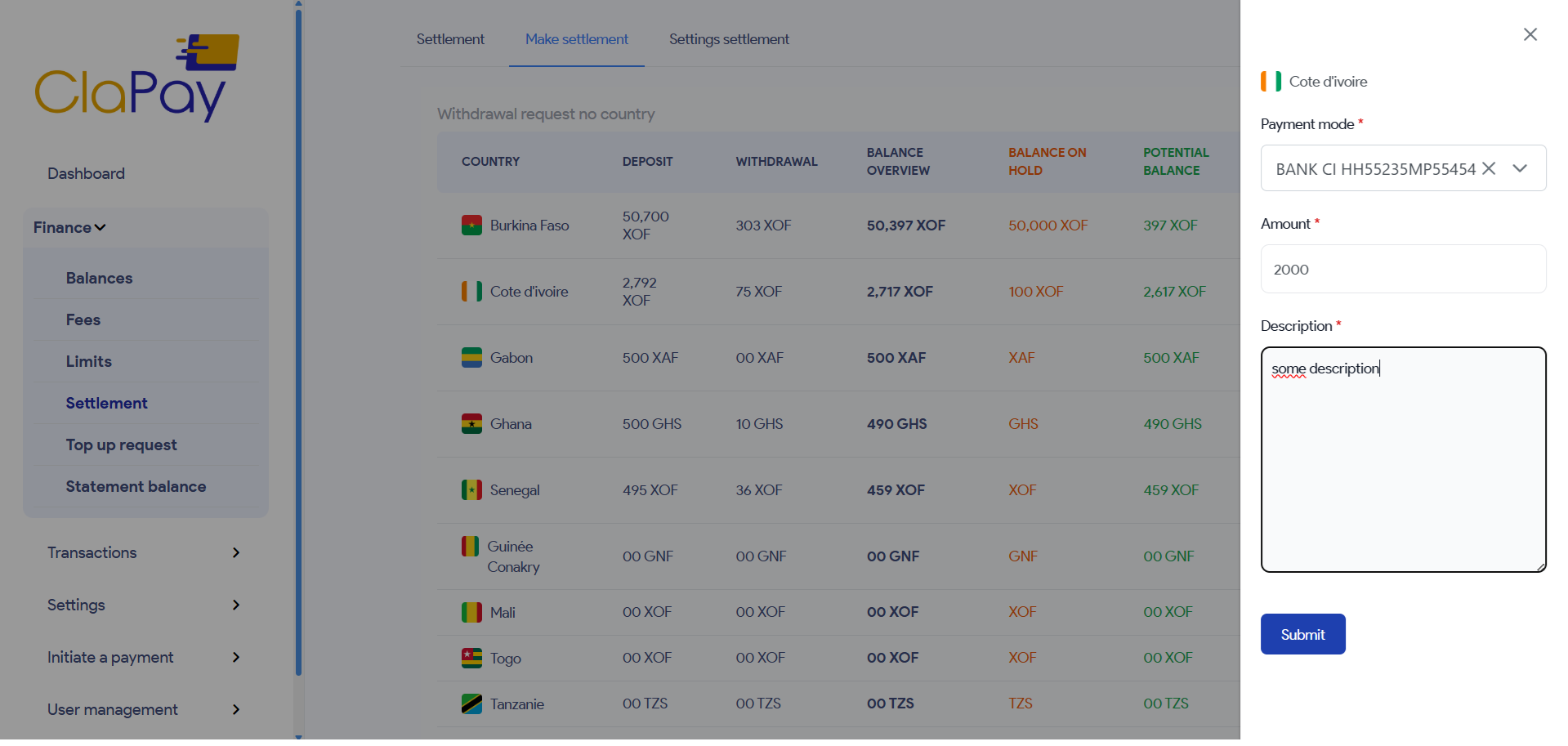
- Once completed, click the Submit button to submit the request
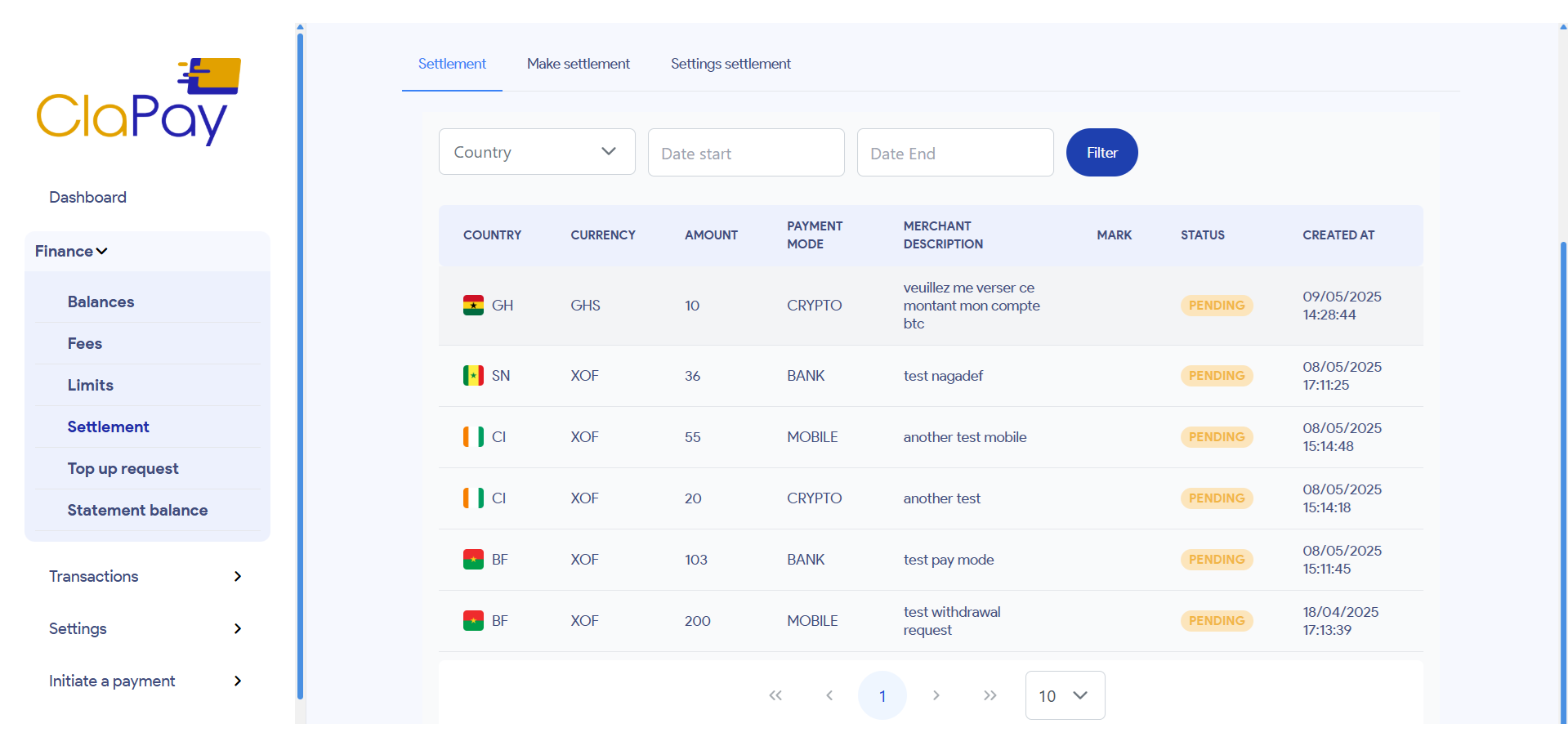
📂 Viewing Settlement Requests
All submitted requests are logged in the Settlement tab. This view allows you to:
- 📊 Track the status of each request
- 📁 View historical records of previous settlements
- 🔎 Ensure transparency and traceability of all payout operations
✅ By following these steps, you ensure a smooth and secure settlement workflow within the ClaPay Back Office.
Was this page helpful?