Balances
The Balances section provides a real-time overview of your funds across different currencies and countries.
It helps you monitor available funds, funds on hold, and potential balance in each currency.
💱 Balances Overview (per Currency)
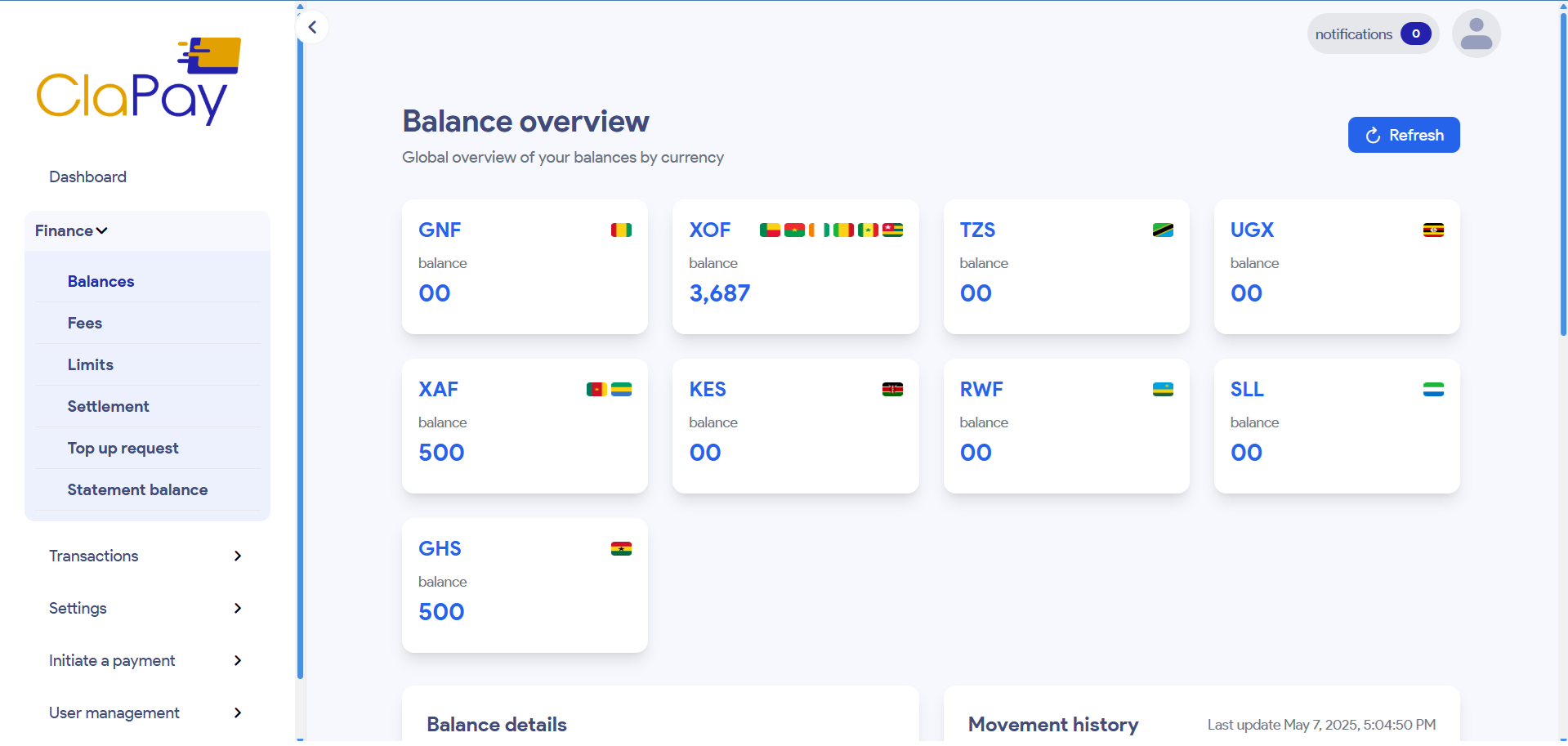
On this page, you’ll see a grid displaying your available balance per currency. Each card contains:
- The currency code (e.g., XOF, GNF, KES)
- The current balance
- The country flags associated with each currency (if applicable)
🧾 Example:
- XOF: 3,687 XOF available
- XAF, GHS: 500 units each
- Other currencies (GNF, TZS, KES, etc.): 0 balance
Click the 🔄 Refresh button to update the data manually.
🌍 Balance Details (per Country)
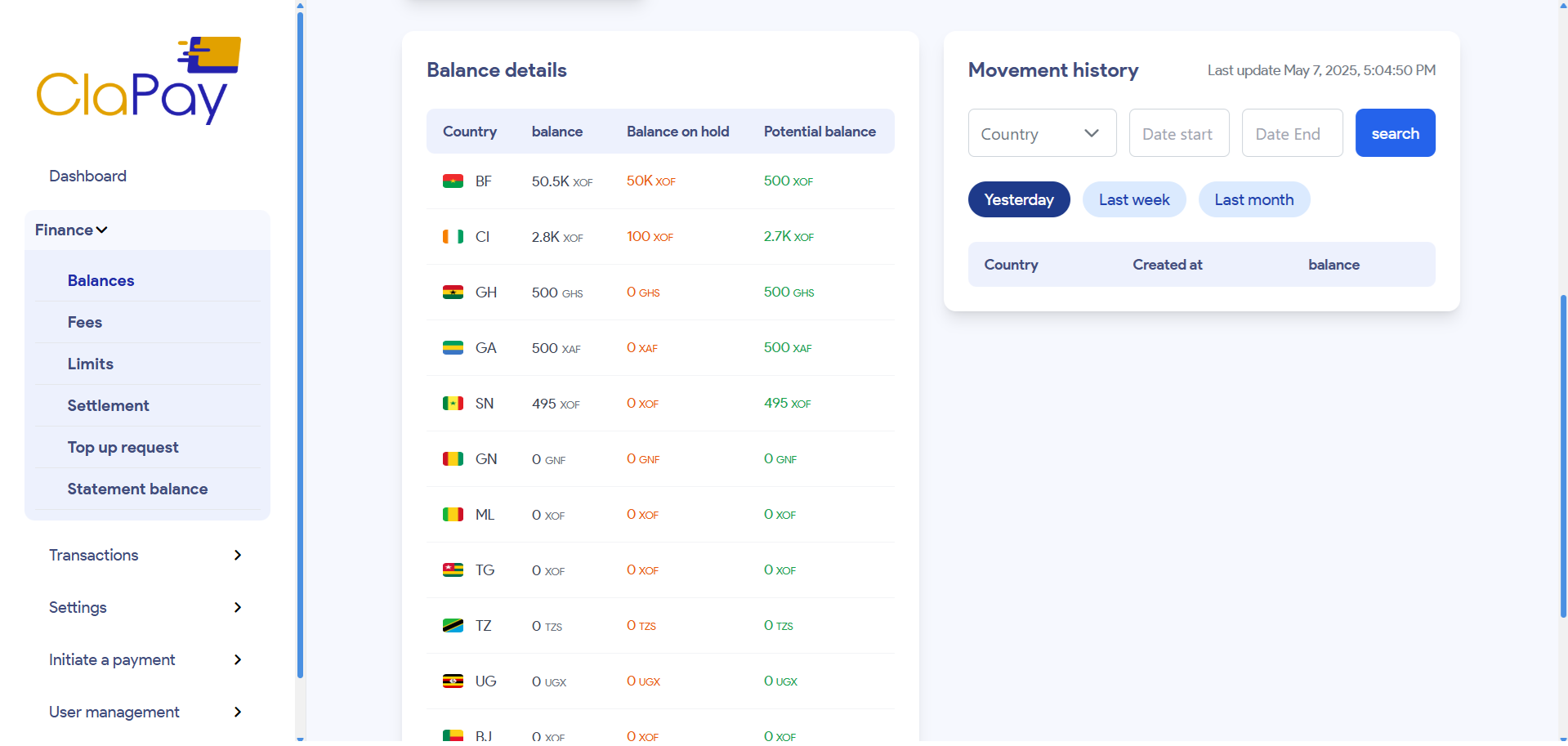
The Balance Details view breaks down your available, on-hold, and potential balances per country and currency. This feature gives you deeper visibility into how your funds are distributed across the regions where you operate.
💼 1.
Available Funds
These are funds that can be used or withdrawn immediately.
⏳ 2.
Balance on Hold
These represent transactions that are pending settlement or are under review due to compliance or processing delays.
🔮 3.
Potential Balance
This includes your available funds plus any funds on hold — providing a complete picture of your account's financial position.
🧾 Example:
| 🏳️ Country | 💰 Balance | ⏸️ Balance on hold | 🔮 Potential balance |
|---|---|---|---|
| BF (Burkina Faso) | 50.5K XOF | 50K XOF | 500 XOF |
| CI (Côte d’Ivoire) | 2.8K XOF | 100 XOF | 2.7K XOF |
📊 Movement History
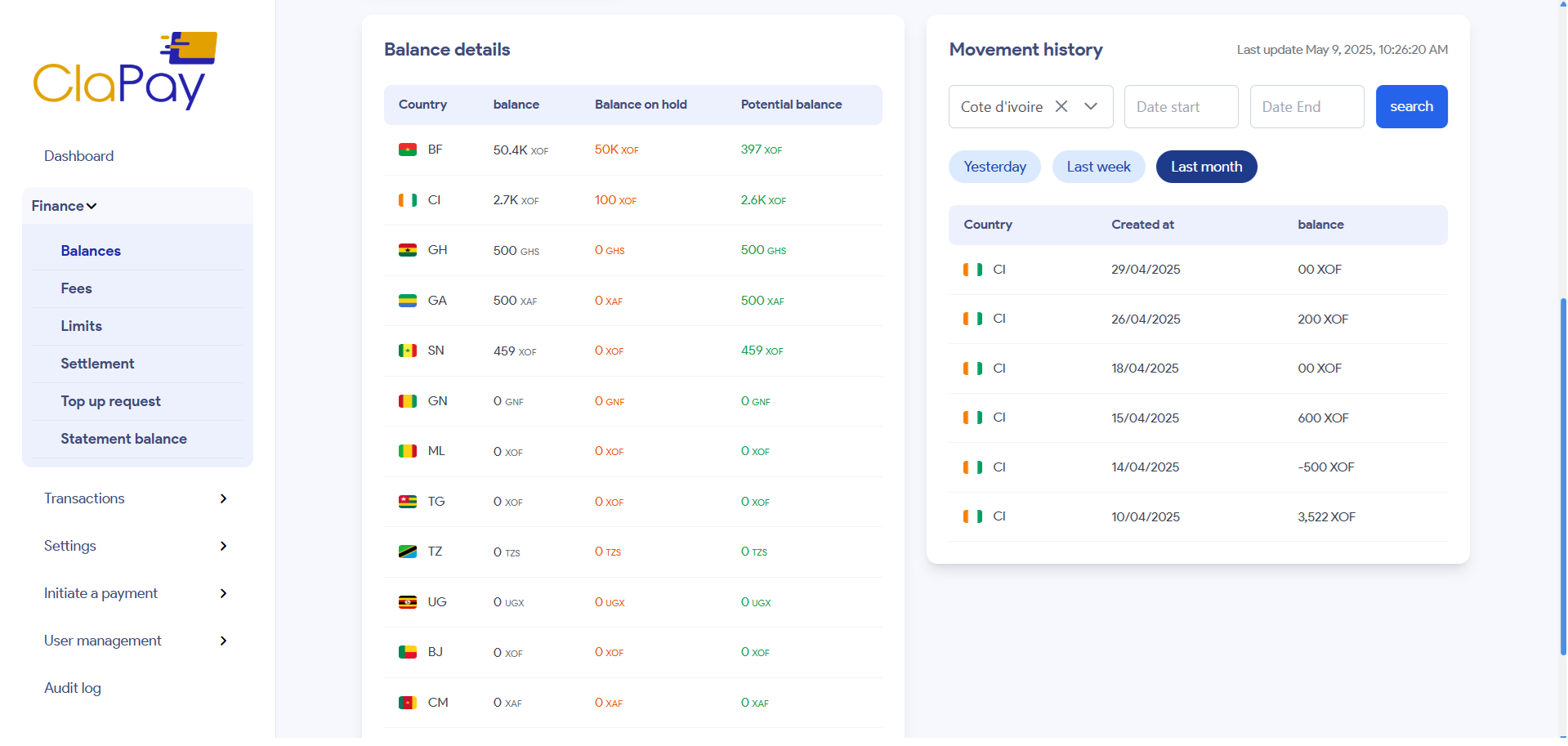
The Movement History allows you to view all transactions and balance updates across your wallets, giving you full traceability and transparency into your account activity.
🔍 Filters & Search
You can filter your movement history by:
- 📅 Date range: Start and end dates for the search
- 🌐 Country: Select a specific country to view transactions related to that region
Click Search button after applying filters to view past transactions affecting your balances.
🕒 The last update timestamp is visible at the top-right for tracking the freshness of data.
📝 Example:
You can easily filter by Côte d’Ivoire (CI), for example, to view all balances related to that country. After setting your desired date range and selecting the country, the table on the right will update dynamically to show only the transactions that match your filters. This provides a clear and specific view of your activity in the chosen region.
Was this page helpful?