Statement Balance
The Statement Balance section provides a comprehensive overview of your ClaPay wallet balance and transaction history.
It allows you to track your financial activities, including total deposits 💰, withdrawals 💸, and balances 📉.
Additionally, you can view your balance evolution by day 📅, helping you to understand your spending patterns and manage your finances effectively.
💼 Wallet Balance Overview
On the Statement Balance page, you will find a detailed summary of your wallet balance. This includes:
- Total Deposits 💰: The total amount of money deposited into your wallet.
- Total Withdrawals 💸: The total amount of money withdrawn from your wallet.
- Total Balance 💵: The total amount of money available in your wallet.
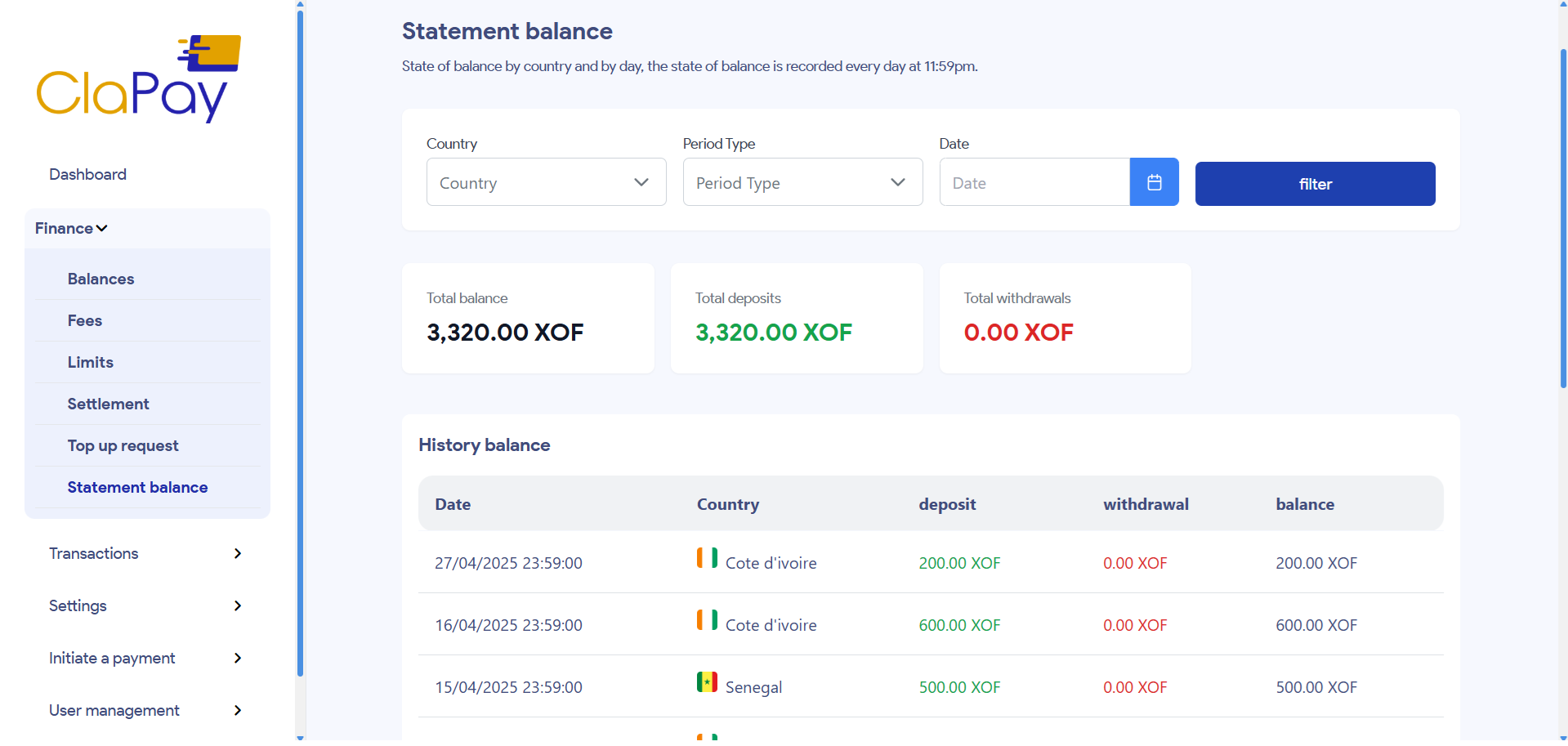
You can filter the transactions by date range 📅 to view specific periods of activity, by country 🌍, and by transaction type 🔄. This feature is useful for tracking your spending and understanding your financial habits.
🧾 History Balance
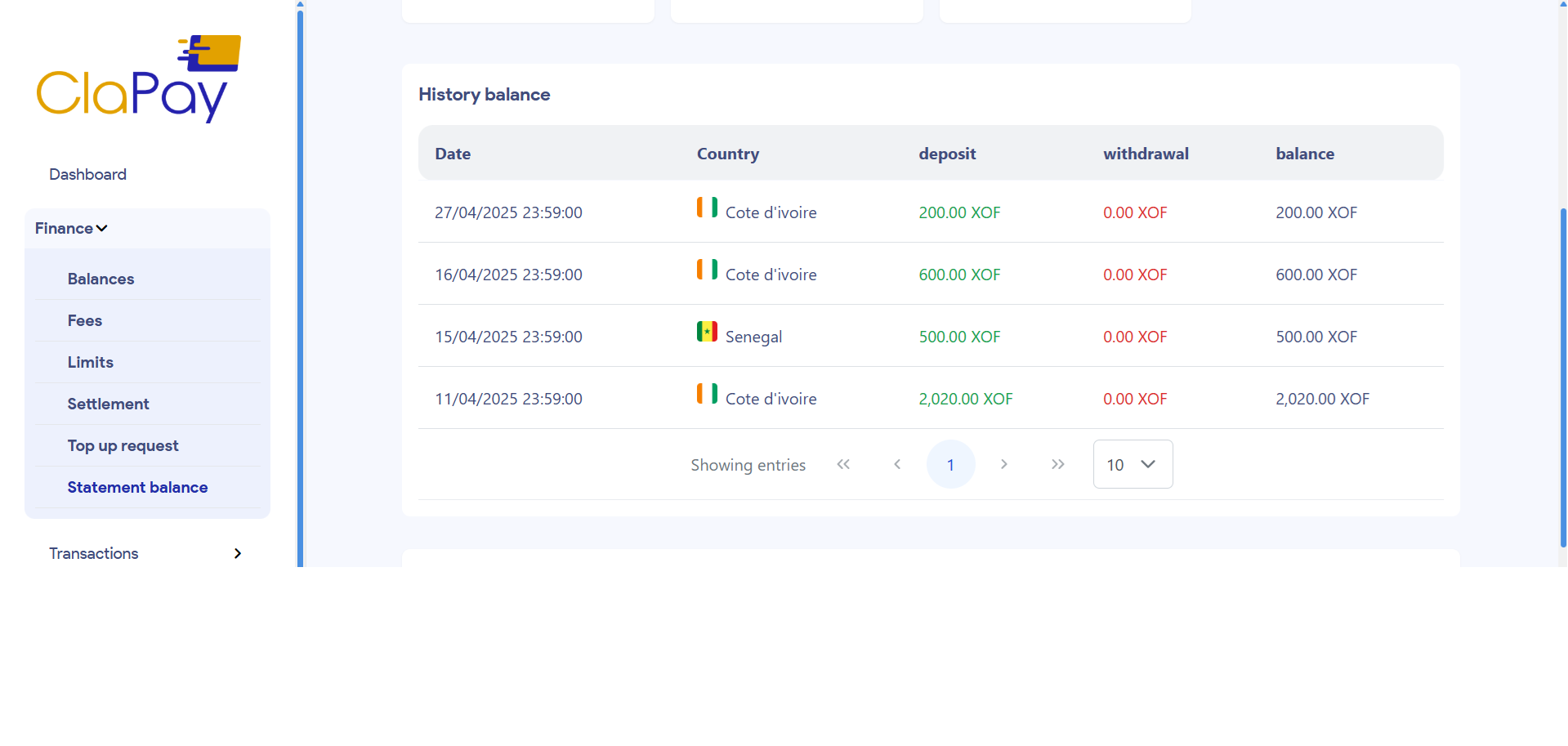
The History Balance table provides a detailed record of your transactions, including:
- Date 📅: The date of the transaction.
- Country 🌍: The country associated with the transaction.
- Deposit 💰: The amount deposited into your wallet.
- Withdrawal 💸: The amount withdrawn from your wallet.
- Balance 💵: The remaining balance after the transaction.
🔍 Filters & Search
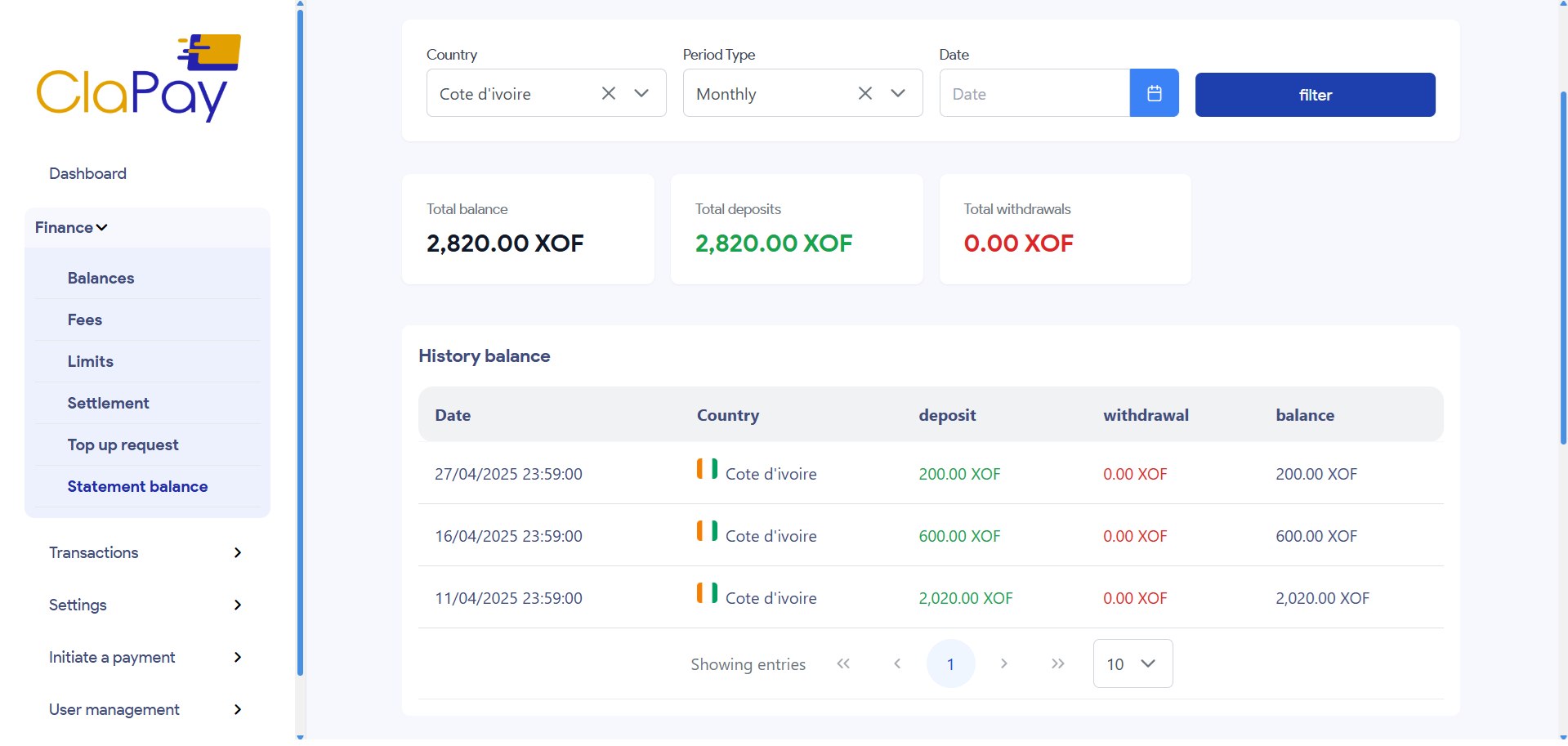
In this section, you can apply various filters to narrow down your transaction history. You can filter by date 📅, country 🌍, and period type.
This functionality helps you find specific transactions quickly and efficiently.
You can filter transactions to view only those from a specific country or within a certain date range.
📝 Example
If you want to see all history balances from Côte d'Ivoire (CI) for the month of April 2025, you can set the filters accordingly.
📈 Evolution Balance by Day
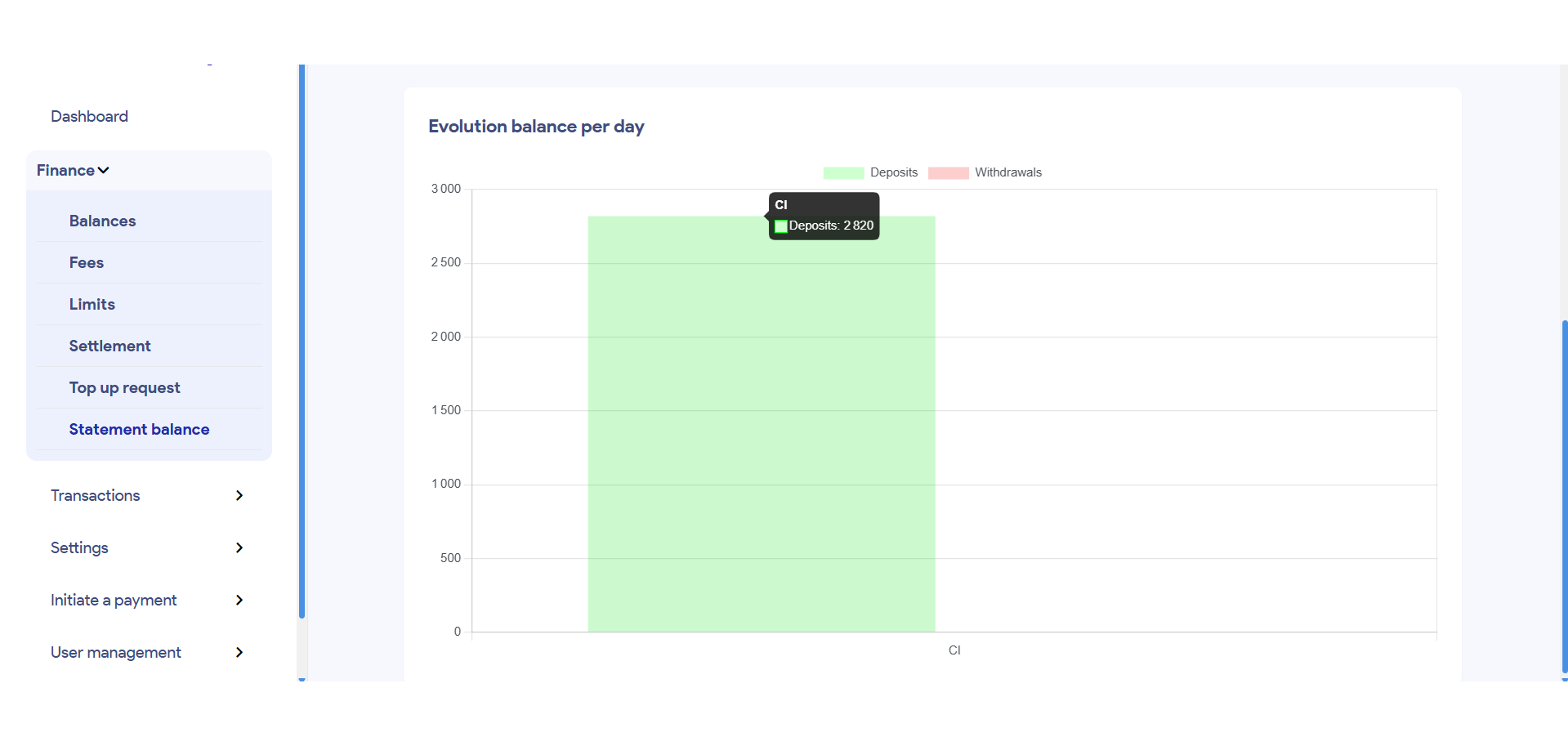
The Evolution Balance by Day section provides a graphical representation 📊 of your wallet balance over time. This chart 📅 allows you to visualize your spending patterns and understand how your balance changes day by day.
The chart displays the total balance over a specified period, helping you identify trends and make informed financial decisions about your spending and saving habits.
🔍 Filters & Search
The same filters available in the History Balance section can be applied here. You can filter by date 📅, country 🌍, and period type.
📝 Example
The image below shows the graphical representation of the transaction details for the above search filter relating to Côte d'Ivoire (CI).
Was this page helpful?