API vs CHECKOUTPAGE
ClaPay supports two primary ways of processing payments:
- Tunnel : API (server-to-server)
- Tunnel : CHECKOUTPAGE (Checkout/redirect flow)
This guide explains the difference between them and how to use API mode in your integrations.
🔁 API Tunnel Mode
The API tunnel allows direct payment processing from your backend. This is ideal for platforms that want to handle the payment experience programmatically.
✅ Use Case
- MERCHANT (Deposit)
- CASHIN (Withdrawal)
- Ideal for apps with built-in payment flows
🧾 Request Payload Parameters to be add to the classic payload
| Field | Required | Description |
|---|---|---|
operator_otp | Yes | OTP if required by the operator |
tunnel | Yes | Should be set to "API" |
Some operators require OTP upfront, others don’t.
🧪 Sample Request
{
  ...
  "tunnel": "API"
}
🔁 CHECKOUTPAGE Tunnel Mode
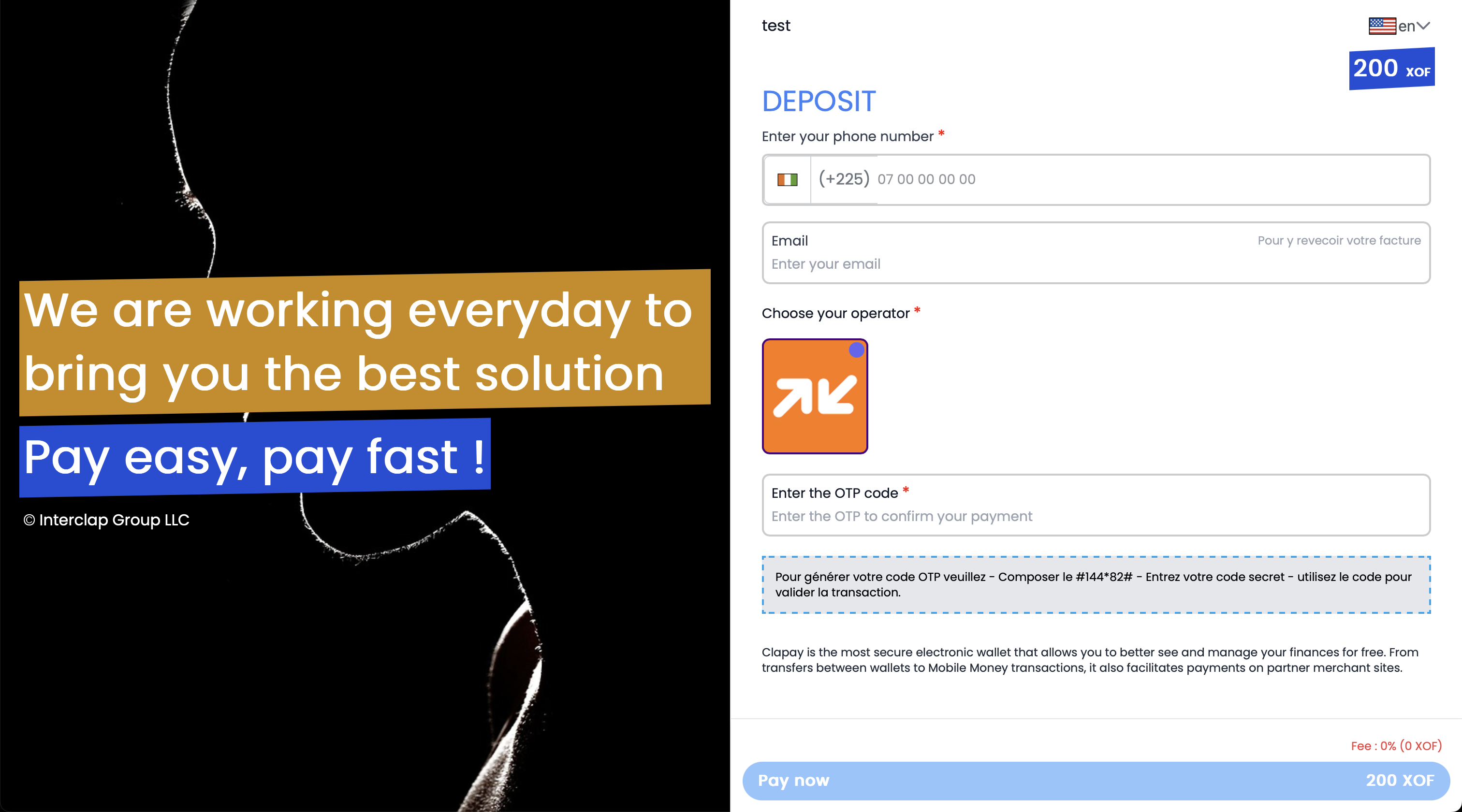
The CHECKOUTPAGE Mode allows you to redirect your users to a secure ClaPay hosted page where they can complete payments easily and safely.
This is the quickest way to integrate payments without managing any UI components or compliance yourself.
✅ Why Use CHECKOUTPAGE?
- No front-end development required.
- Safe & secure environment for users to pay.
- Mobile-friendly experience.
- Ideal for MVPs or websites that need a fast payment setup.
🔧 How It Works
- Send a request to ClaPay’s payment initialization endpoint.
- Set
"tunnel": "CHECKOUTPAGE"in your payload. - Receive a
payment_urlin the response. - Redirect your customer to this URL.
- ClaPay handles the rest: payment input, confirmation, redirection.
📤 Sample Request
{
  ...
  "tunnel": "CHECKOUTPAGE"
}
📊 Summary: API Mode vs CHECKOUTPAGE
ClaPay offers two powerful ways to process payments. Here’s a quick comparison to help you choose the right one for your needs.
| Feature | Tunnel ("API") | Tunnel ("CHECKOUTPAGE") |
|---|---|---|
| UI Control | Full control (your own payment form) | No control (hosted by ClaPay) |
| Ease of Integration | Requires backend logic | Quick to integrate |
| Security Handling | Handled by you | Handled by ClaPay |
| Redirect Required | ❌ No | ✅ Yes |
| Custom Experience | ✅ Highly customizable | ❌ Not customizable |
| Best for | Apps, platforms with existing payment UI | Websites, MVPs, low-code setups |
| Example Use Cases | Mobile apps, backend flows | Simple e-commerce sites, donation pages |
✅ Use API Tunnel if you need total control over payment handling in your app.
✅ Use CHECKOUTPAGE Tunnel if you want simplicity, hosted security, and faster setup.
You can support both modes in parallel to match different user flows.
Was this page helpful?