🔐 Bearer Token Authentication

I. Token Creation
The creation of an authentication token to access our API is done in your customer area, within the menu "Generate Token".
🧭 Token Creating Steps
a. Accessing the Menu "Generate New API Token"
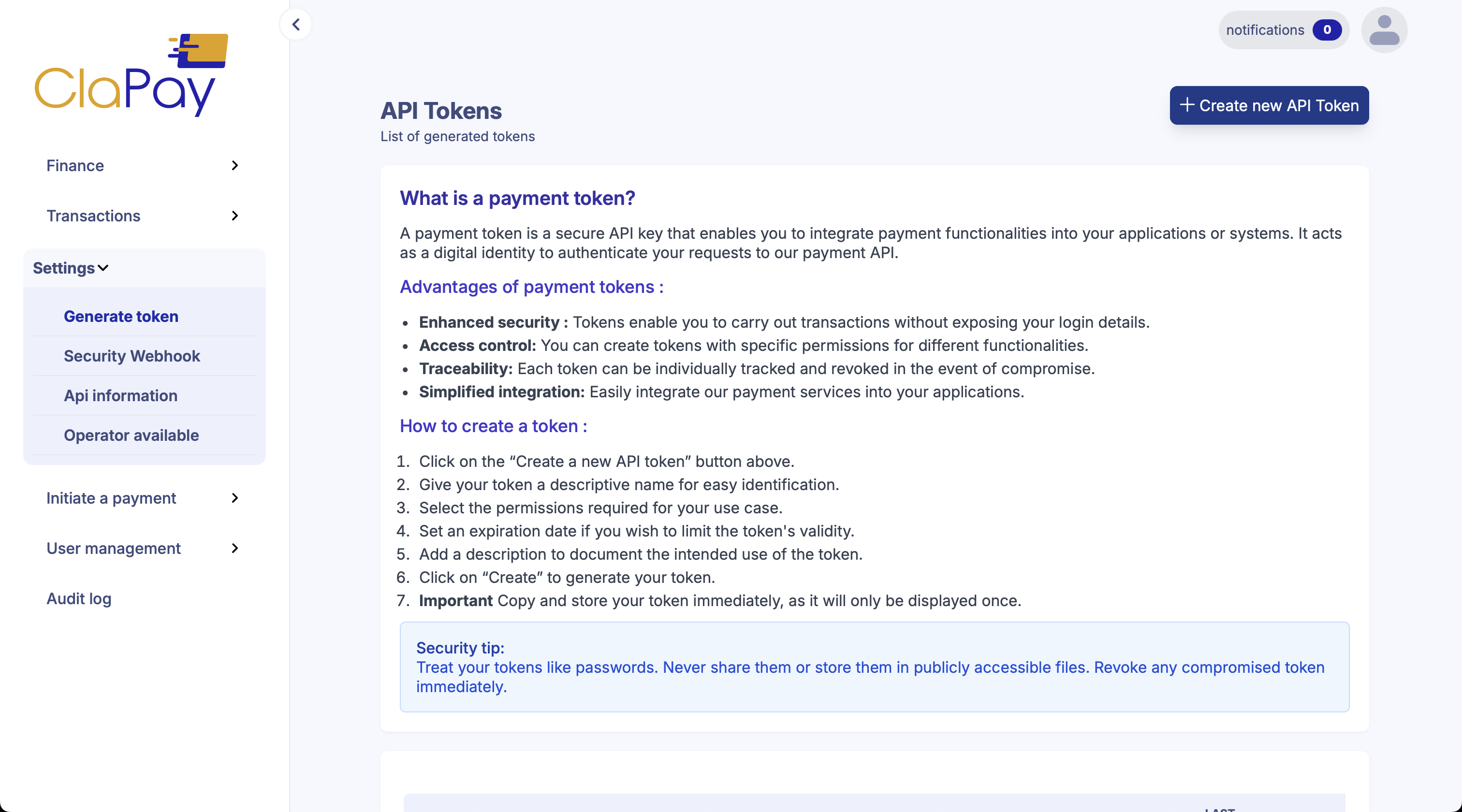
To generate a token:
- Log into your dashboard.
- Click on the "Generate Token" menu.
- A list of all previously generated tokens will appear.
- Click on the button "Create a new API Token" to access the token creation interface.
b. Token Creation Form
Once you click on the creation button, a form will open. In this form, you can define several parameters:
- Authorized methods
- Authorized countries
- Authorized operators
The token will only be displayed once after creation. Make sure to save it immediately.
🧾 Form Fields
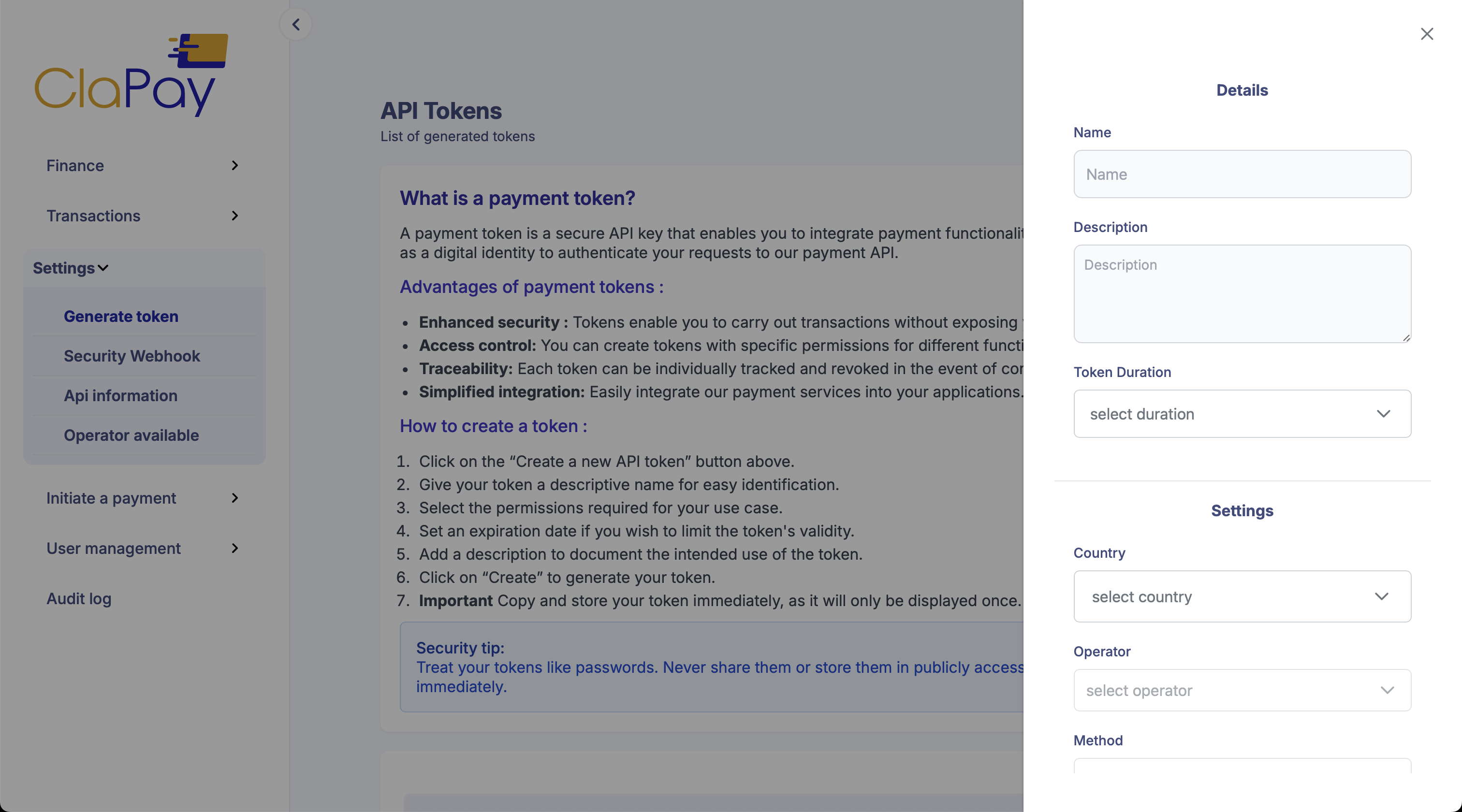
🔤 Token Name
- Required
- Identifies your token.
📝 Description of the Token
- Required
- Helps you keep track of the purpose of the token.
⏳ Token Lifetime
- Required
- Defines the validity period of the token in days.
- For a permanent token, choose "unlimited".
🌍 The Country
- Required
- Specifies the countries where the token is authorized.
- ✅ You can edit or delete the values after creation.
📡 The Operator
- Required
- Defines the operators for the selected countries.
- ✅ Editable post-creation.
🔁 The Method
- Required
- Specifies the allowed methods for the token.
- ✅ Can be edited or removed later.
🗂 Editing Selected Values
Once you’ve selected a country, an operator, and the transaction methods, they will be added to a table.
- You can select multiple countries with their respective operators and methods.
- To edit a row, select the country, adjust the operator and methods as needed.
II. Token Usage
Use the generated token to authenticate your API requests. Include it in the Authorization header.
✅ This feature is available starting version 3 of our API.
🧪 Example Usage (cURL)
curl -X GET \
  -H "Authorization: Bearer YOUR_TOKEN" \
  https://nowallet-api.mpayment.africa/nowallet/api/v3/init/payment
Make sure to replace {baseUrl} with the NoWallet API URL.
Base Url API
Was this page helpful?