Callback Logs Table
📊 Overview
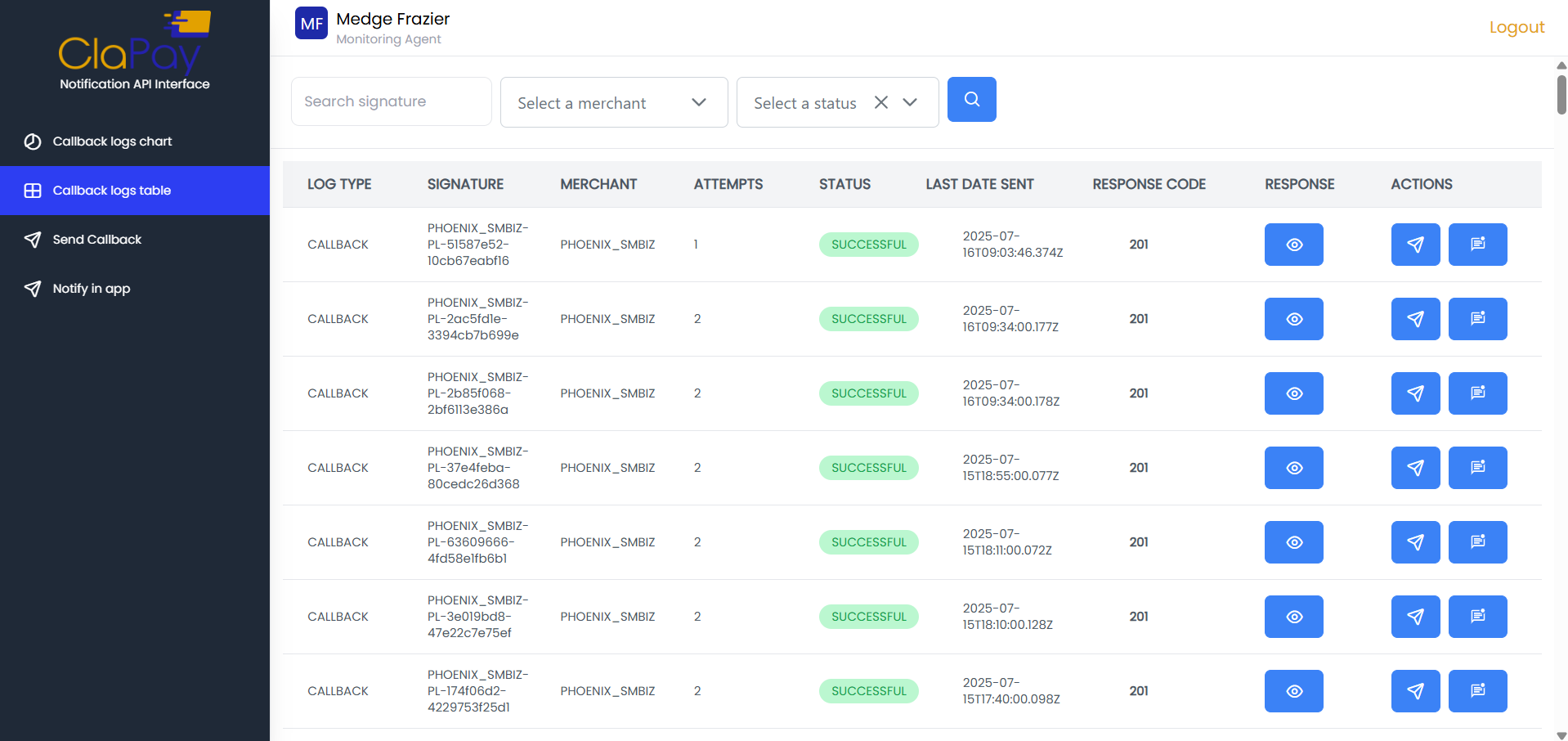
This section provides an overview of callback logs in the form of a table sent to all our merchants. The table includes the following columns:
-
LOG TYPE: The type of log (e.g., CALLBACK)
-
SIGNATURE: The unique signature associated to transaction
-
MERCHANT: The name of the merchant associated with the callback log
-
ATTEMPT: The number of attempts made to send the callback
-
STATUS: The status of the callback log (e.g., SUCCESSFUL, FAILED)
-
LAST DATE SENT: The date when the callback was last sent
-
RESPONSE CODE: The response code received from the merchant's server
-
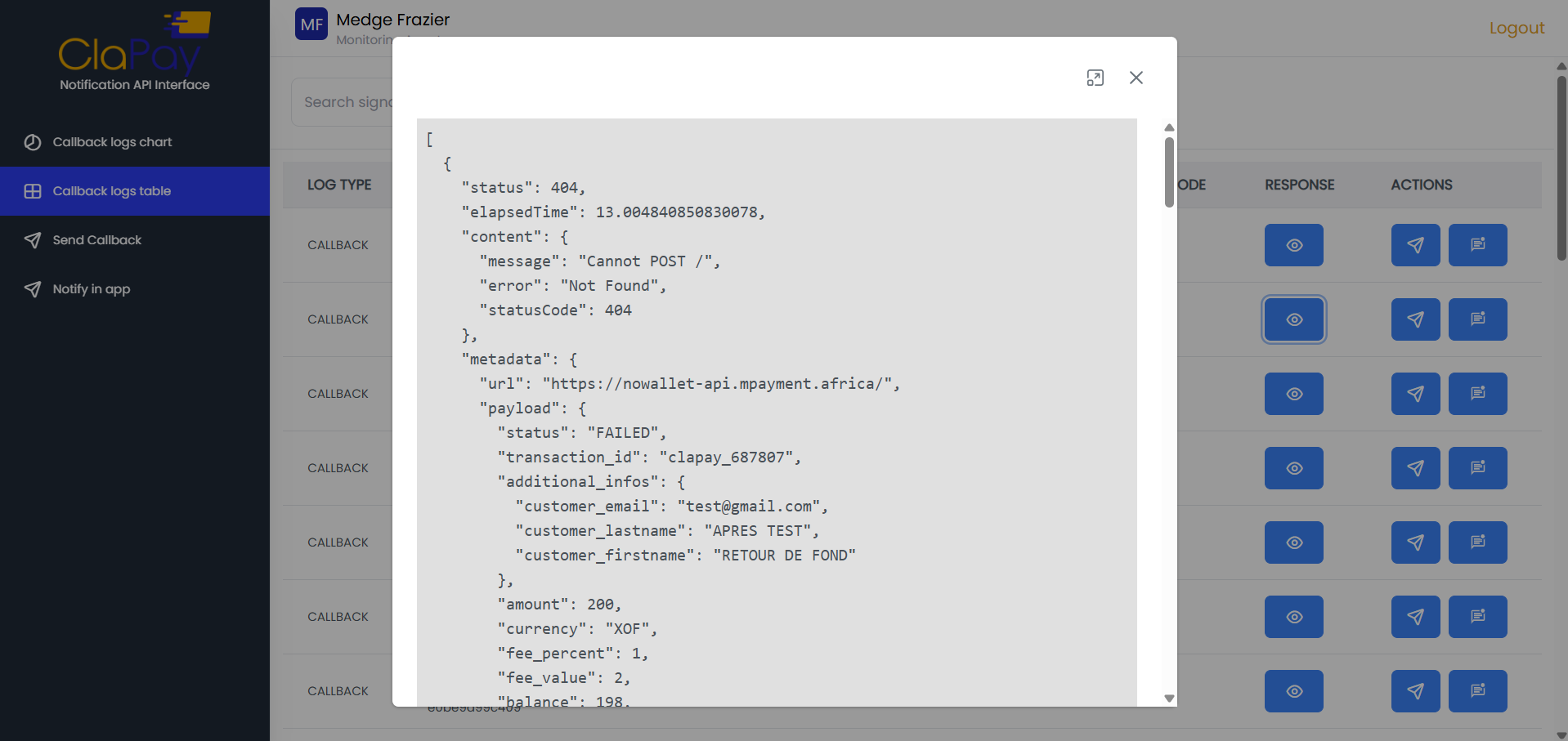
RESPONSE: For display all information about the response received in JSON format
-
ACTION: Action buttons to resend the callback and notify the merchant
What are features?
🔍 Search Callback Logs
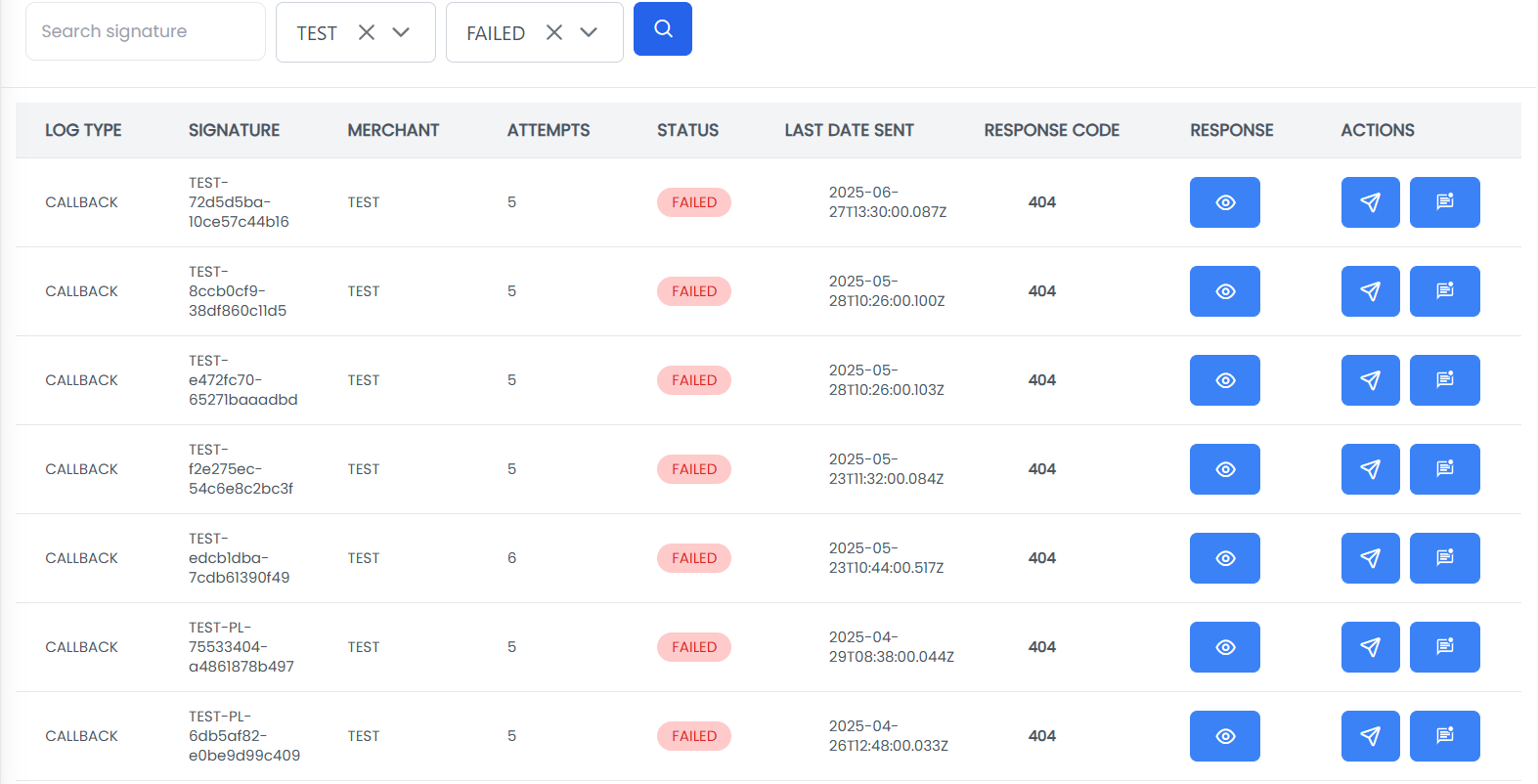
You can search for specific callback logs by entering the desired criteria in the search bar and clicking the Search button.
For example
we search for the callback logs of the merchant TEST by entering the merchant name in the dropdown and selecting FAILED status.
Resend Callback
You can resend a callback by clicking the Resend button in the ACTION column of the callback log. This will attempt to resend the callback to the merchant's server.
Notify Merchant
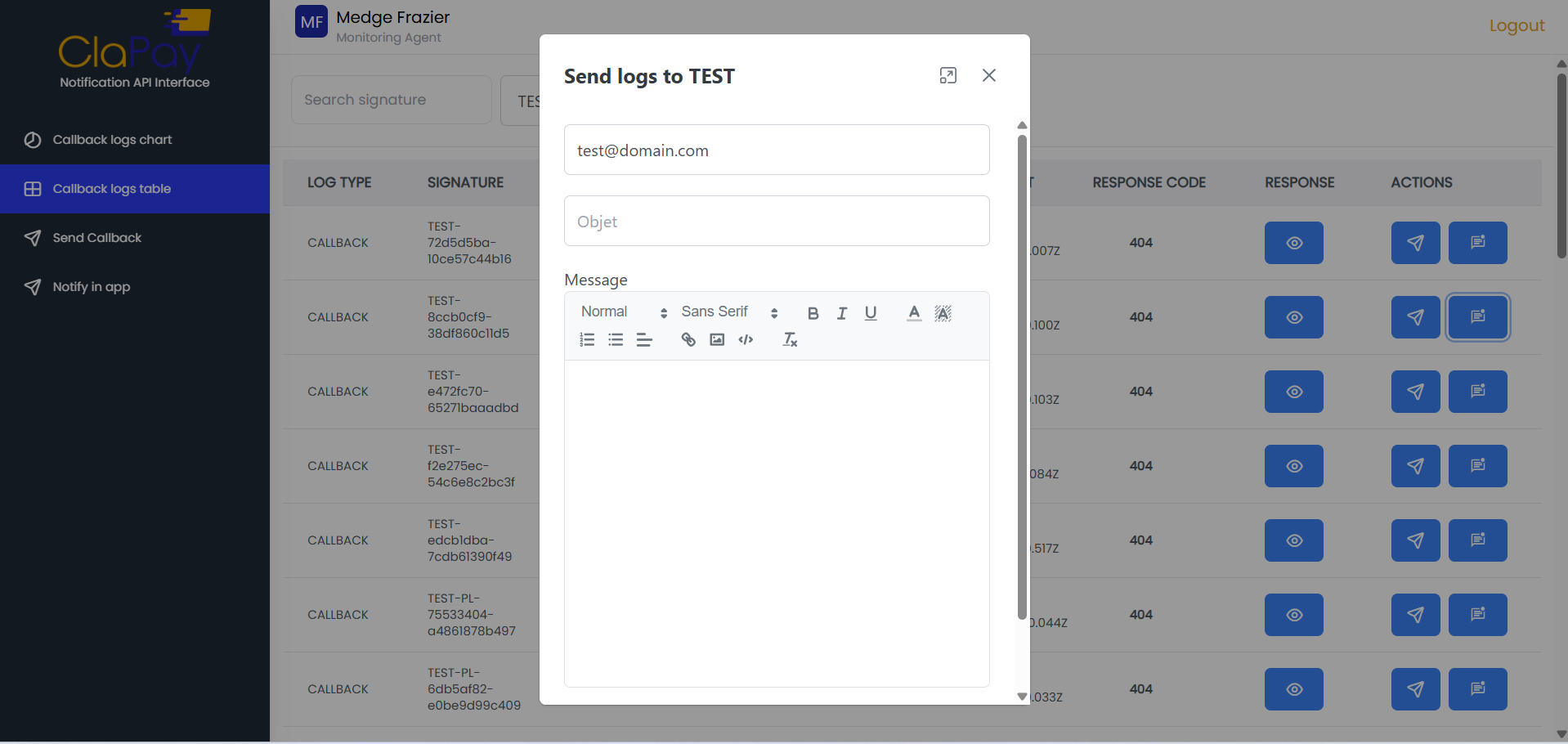
You can notify the merchant about a specific callback log by clicking the Notify button in the ACTION column and fill the notification form. This will send a notification to the merchant regarding the callback log.
View Callback Log Details
You can view the details of a specific callback log by clicking the View button in the RESPONSE column. This will open a modal displaying all the information related to the callback log.
Was this page helpful?