💳 Single Payment
Single payment allows you to process a one-time transaction between you, the merchant, and a beneficiary. This type of payment is ideal for one-off purchases, occasional services, or donations 🎁.
🚀 Initiate a Single Payment
To initiate a single payment, you must provide the following information as illustrated in the image below 👇 :
-
🌍 Country : select the beneficiary’s country
-
🏦 Operator : select the payment operator
-
📱 Phone number : enter the beneficiary’s phone number
-
💰 Amount : enter the payment amount
-
📝 Description : add a message for the beneficiary
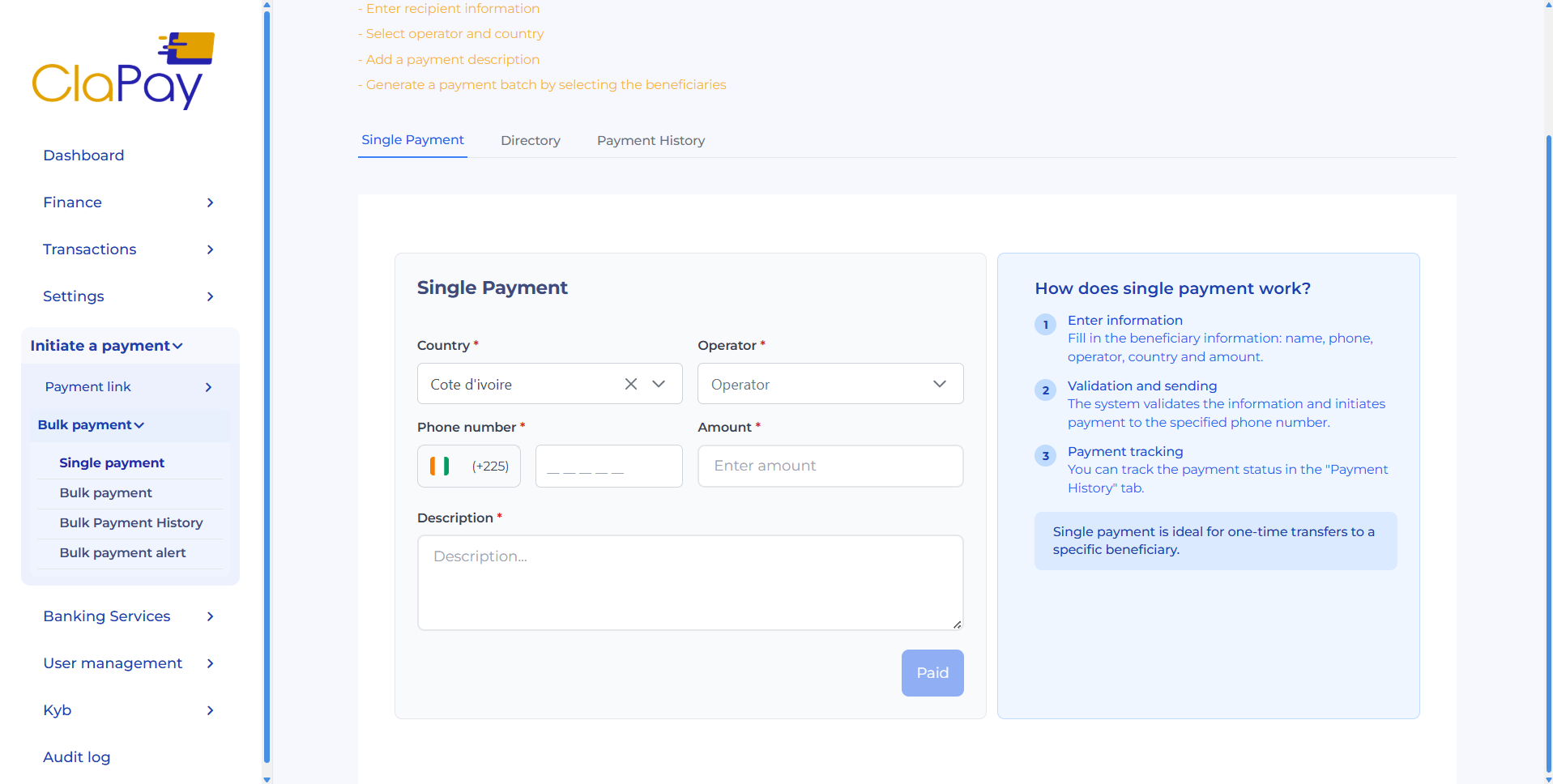
Once all fields are completed, click the ✅ Pay button to proceed.
📂 Directory
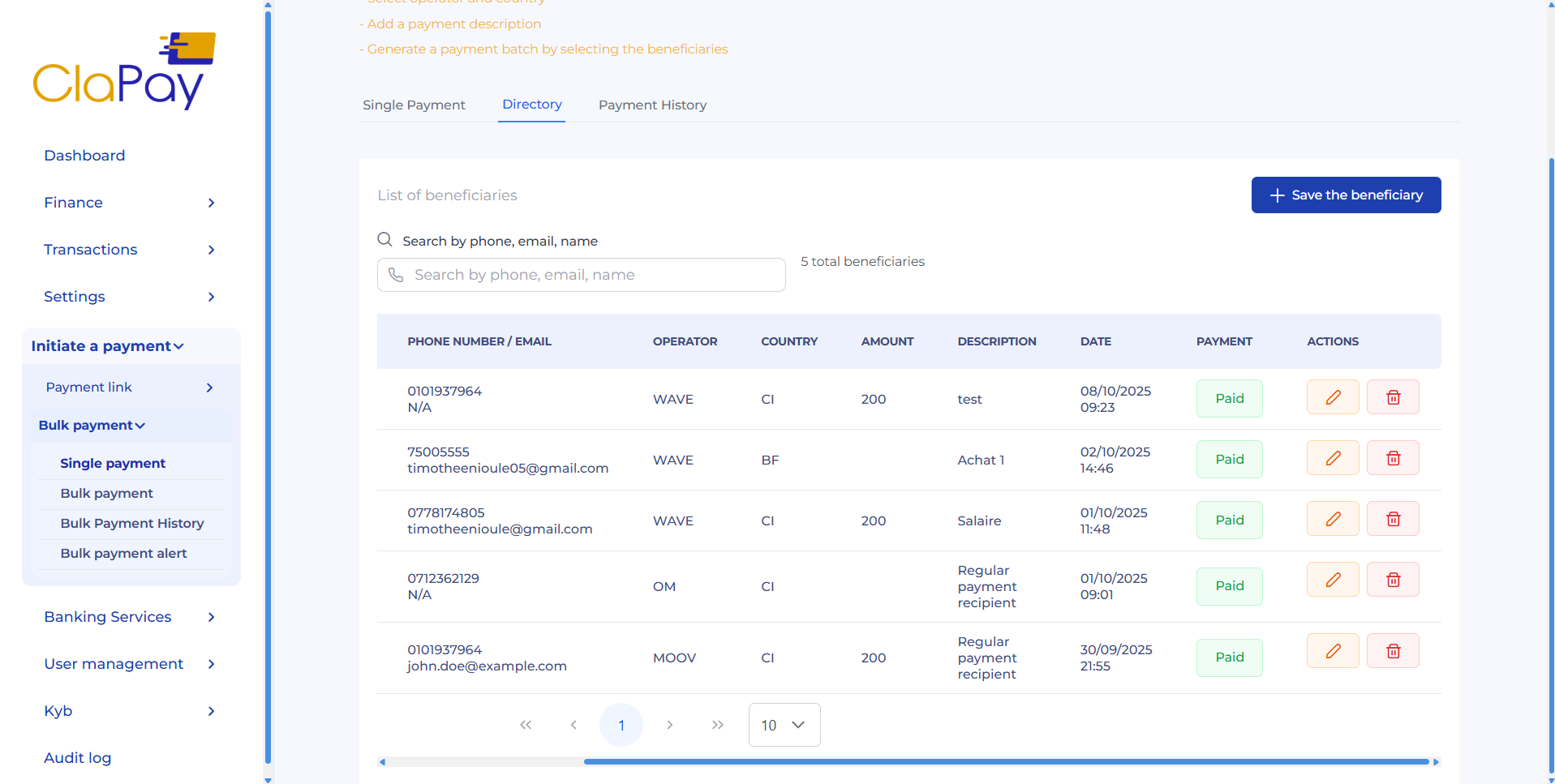
The directory allows you to save beneficiary information for future payments 🔄.
The directory table displays the following details for each registered beneficiary, along with two action buttons:
-
🗑️ Delete (represented by the trash icon) : Allows you to remove a beneficiary from the directory.
-
✏️ Edit (represented by the pencil icon) : Allows you to update the information of an existing beneficiary.
-
➕ You can add a new beneficiary by clicking the Save beneficiary button.
-
🪟 Use the modal that opens to enter the beneficiary’s information.
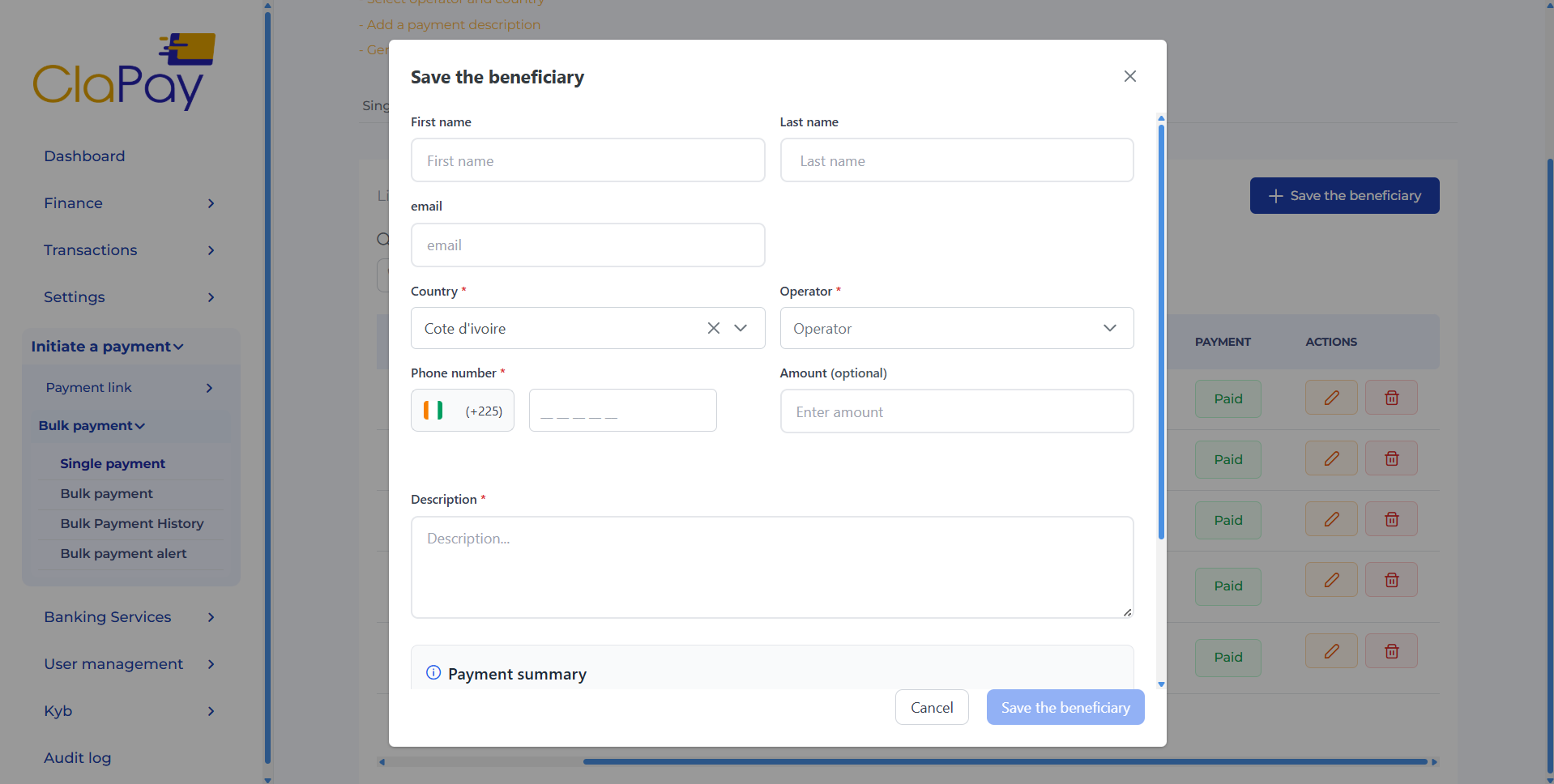
- 💾 Click Save beneficiary to store the information.
⭐ Why save beneficiaries?
Saving beneficiaries helps simplify and speed up the payment process for future transactions ⚡.
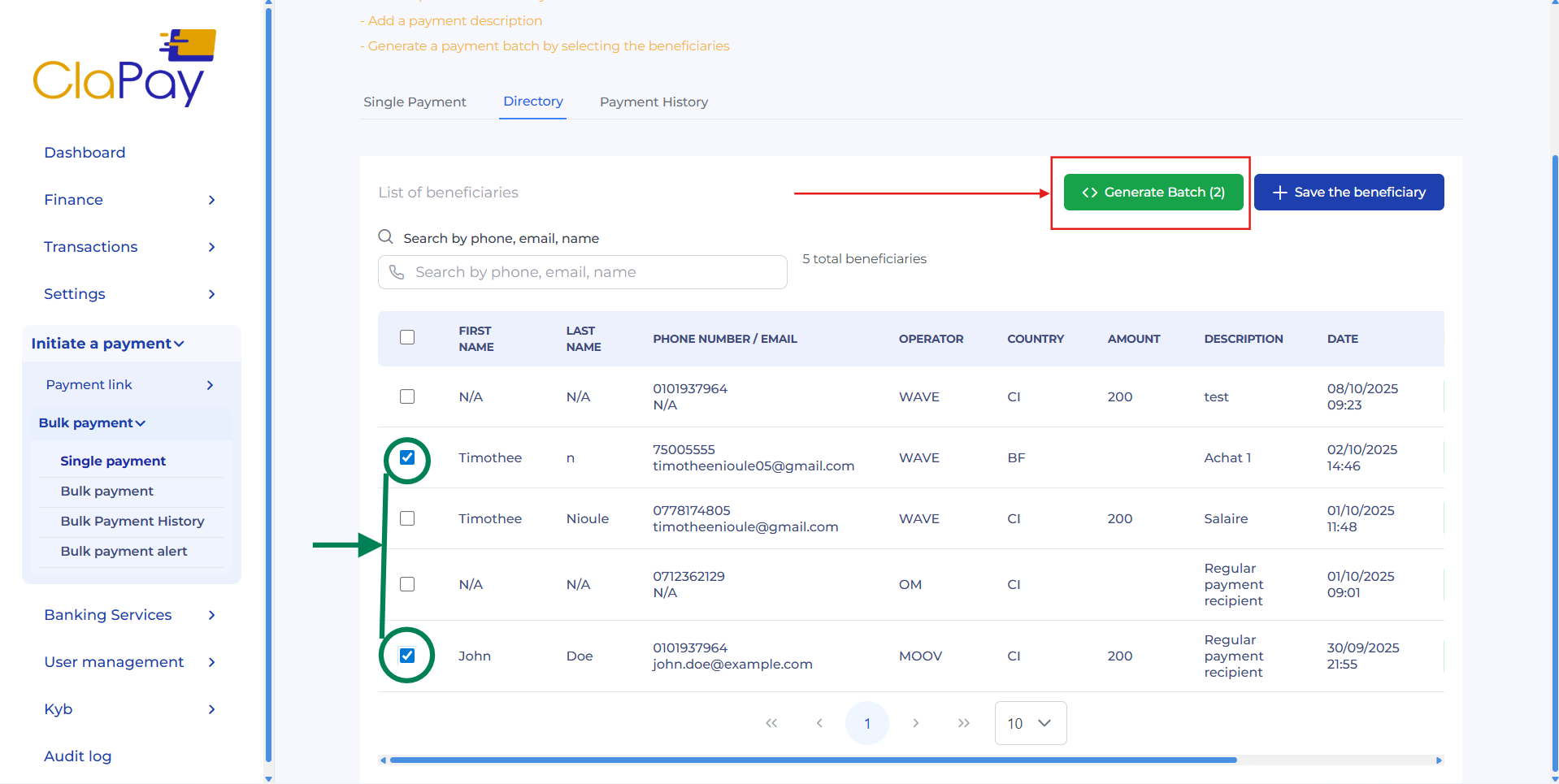
Instead of re-entering beneficiary details each time, you can simply select one or more saved beneficiaries from the directory, reducing errors and improving efficiency ✅.
You can then proceed with the payment by clicking the 📦 Generate Batch button that will appear.
📊 Payment History
The payment history displays a list of all single payments you have initiated 🕒.
You can view the details of each payment by clicking the 🔍 View details button.
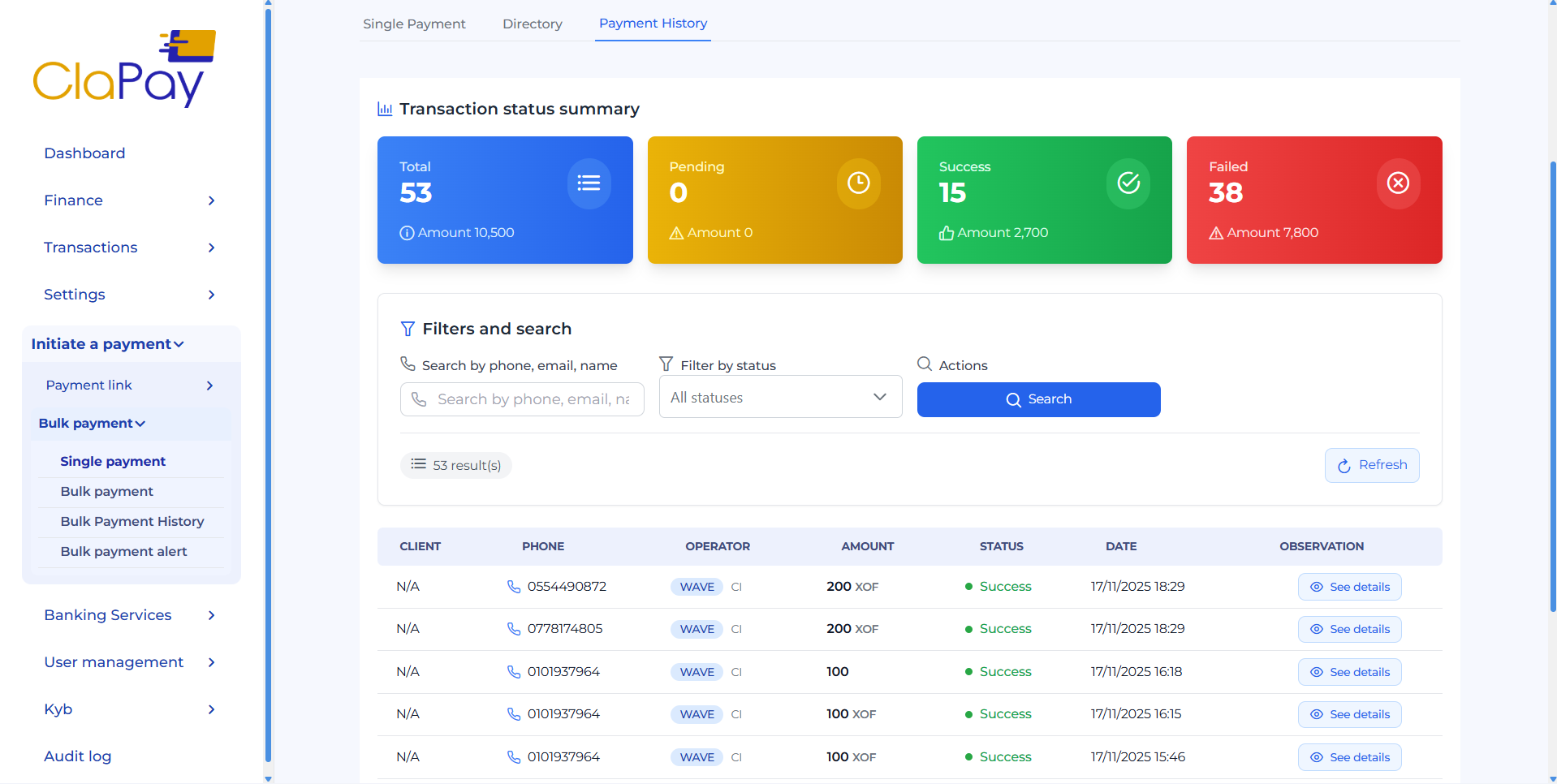
Use the available filters to refine your search in the payment history 🔎 :
-
📧 email, 📱 phone number, 👤 name : Search by beneficiary information
-
📌 Status : Filter by payment status (e.g. success, pending, failed)
Was this page helpful?