My Links
The My Links section provides a comprehensive overview of your links in the ClaPay Back Office 🧾.
It allows you to track and manage all your links, including their status and details ✅.
✨ Feature Includes
- 📜 View the complete history of your links.
- 🔎 Filter by date 🗓️, country 🌍, user 👤, and status 📊.
- 📥 Download or 🖨️ print QR codes for each generated link.
- 🛠️ Update links as needed.
📋 List of Generated Payment Links
This table contains the list of generated payment links, including their status and details 📊.
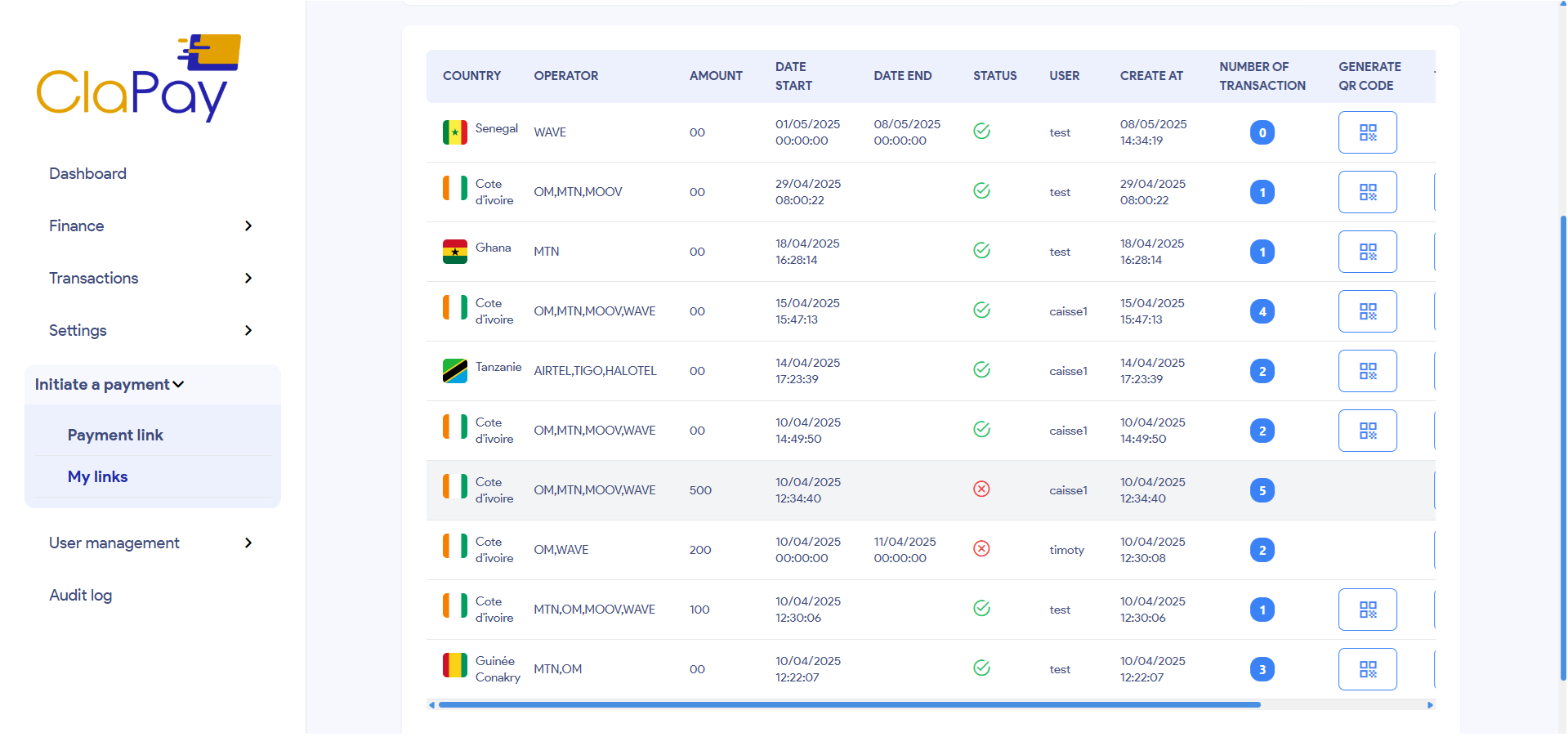
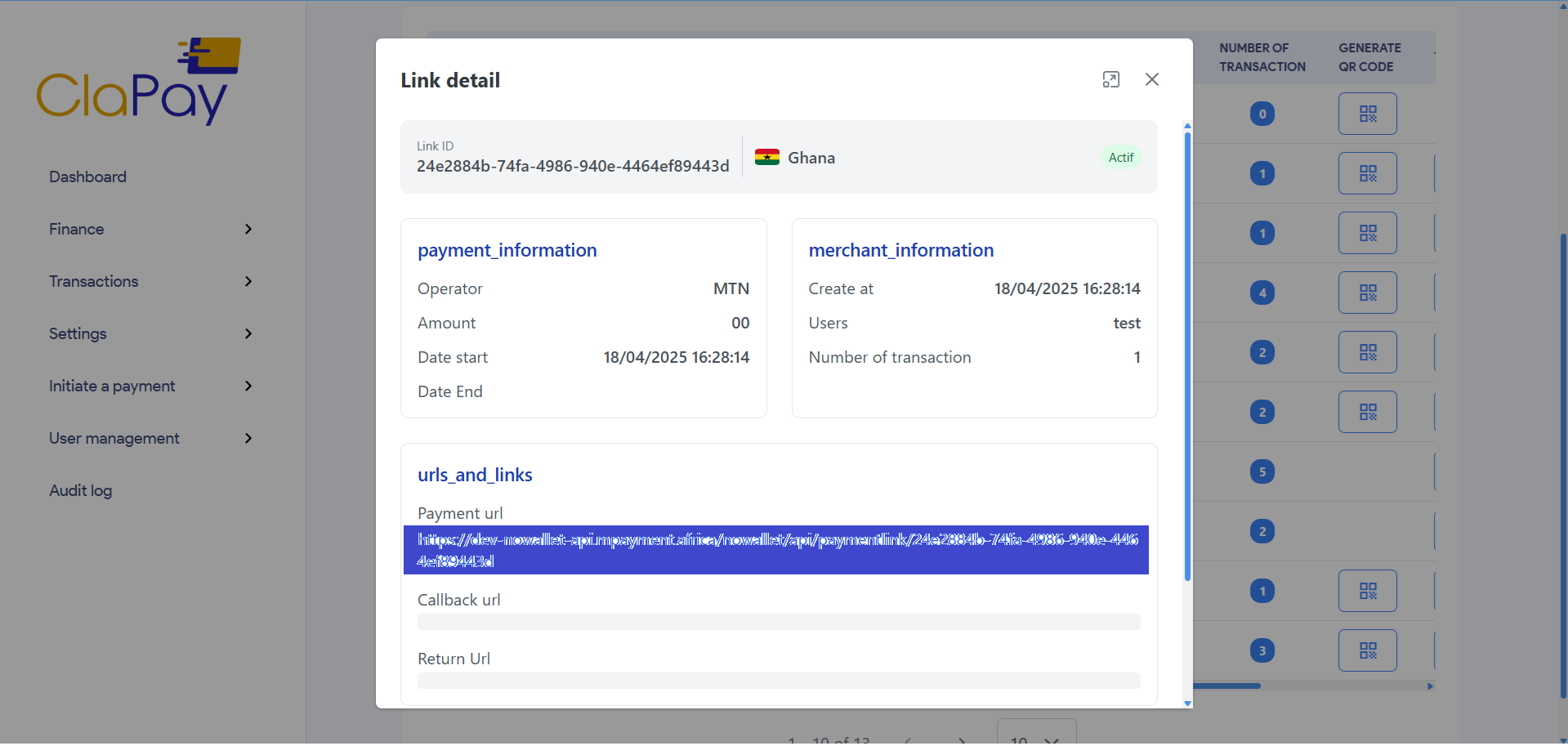
To see the details of a link, double-click on the link row in the table 🖱️.
This will open a new modal with the link details 🧾.
The modal will display like this:
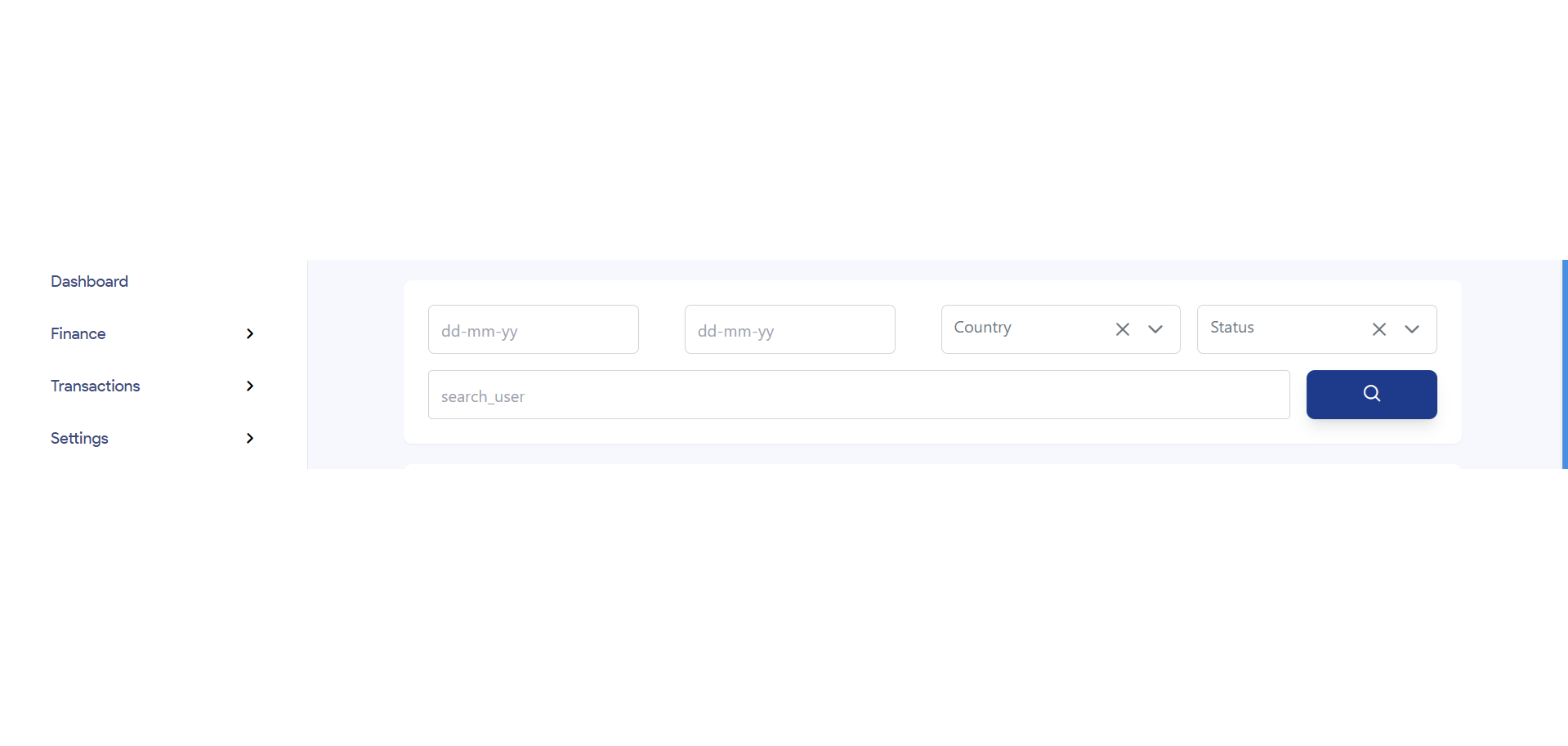
🔍 Filtering Links
You can filter the list of links by date 🗓️, country 🌍, user 👤, and status ✅.
This allows you to quickly find specific links based on your criteria 🎯.
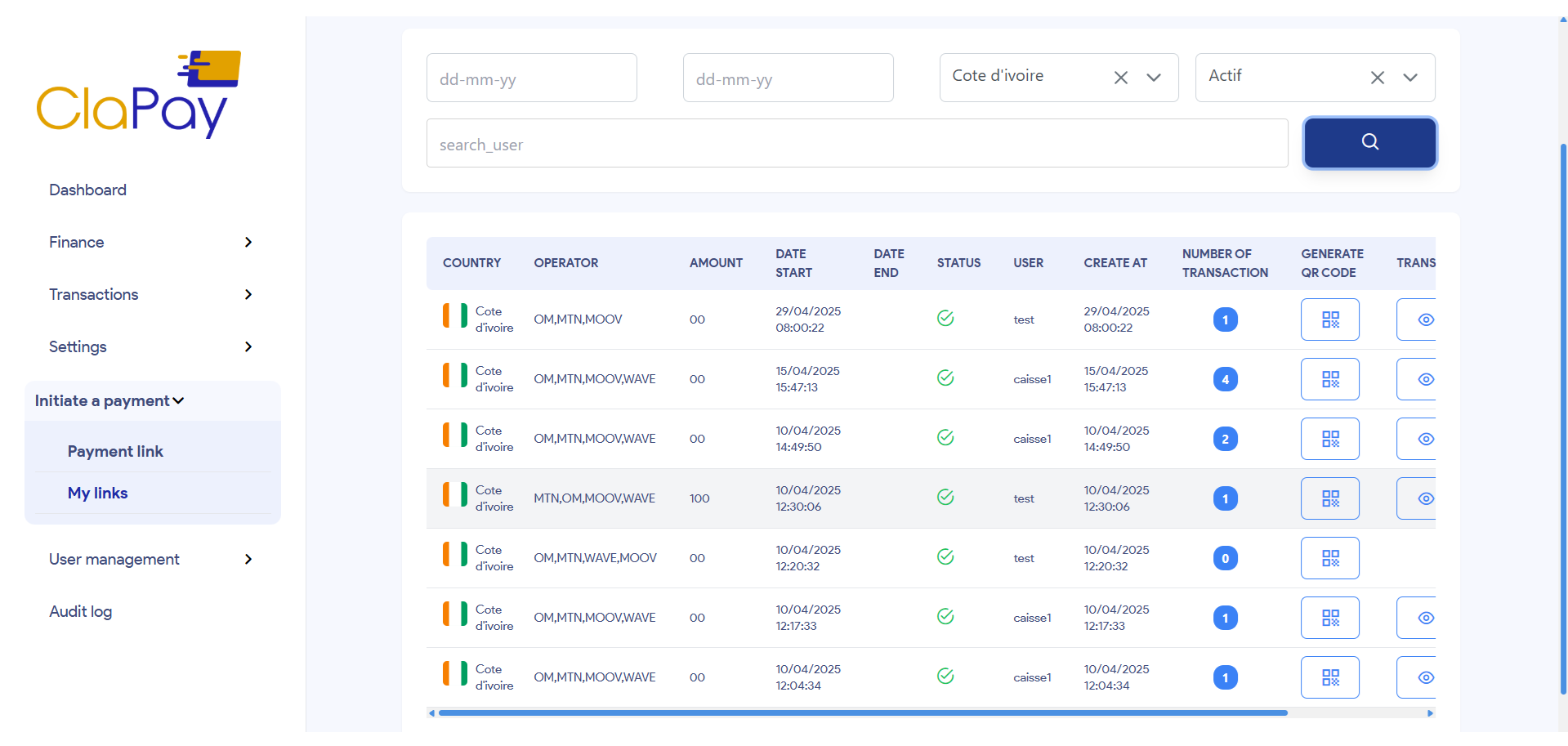
📌 Example: Filter by Country and Status
If you select Côte d'Ivoire (CI) as the country 🌍 and set the status to ✅ "Actif", the system will only display the payment links generated in Côte d’Ivoire that are currently active.
This helps you monitor the ongoing transactions for a specific region and take necessary actions faster 🚀.
🖨️ Print and 📥 Download QR Code
You can download the QR code for each generated link 📱.
This allows you to easily share the link with others or use it in your marketing materials 📢.
To do this, follow these steps:
📥 Download QR Code
Step 1: Click on the QR Code Icon
Click on the QR Code Icon 🧷 button for the specific link you want to download in the table.
A new modal will open with the QR code 📦.
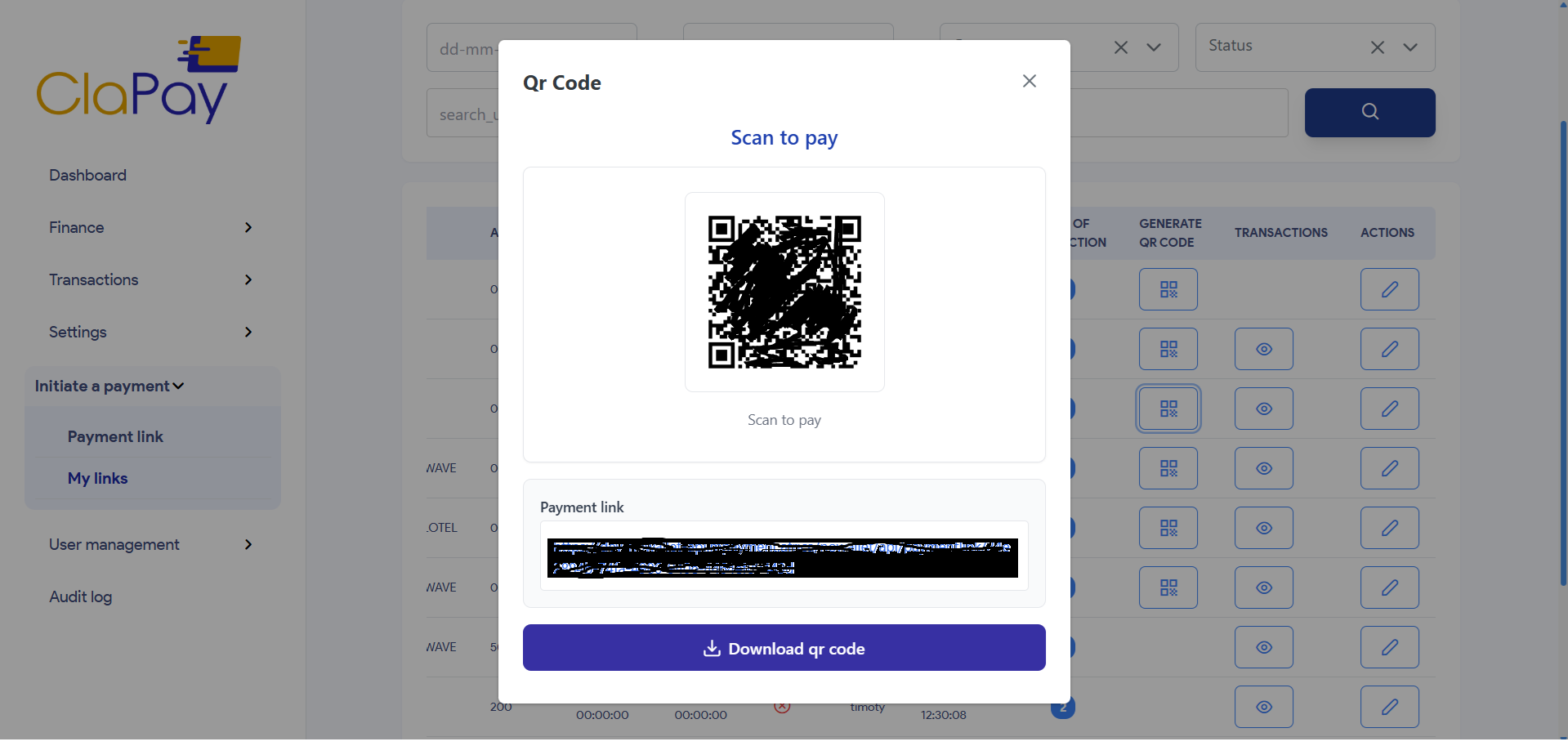
Step 2: Download the QR Code
Click on the Download QR Code 📩 button to save the QR code to your device 💾.
✏️ Update Payment Link Information
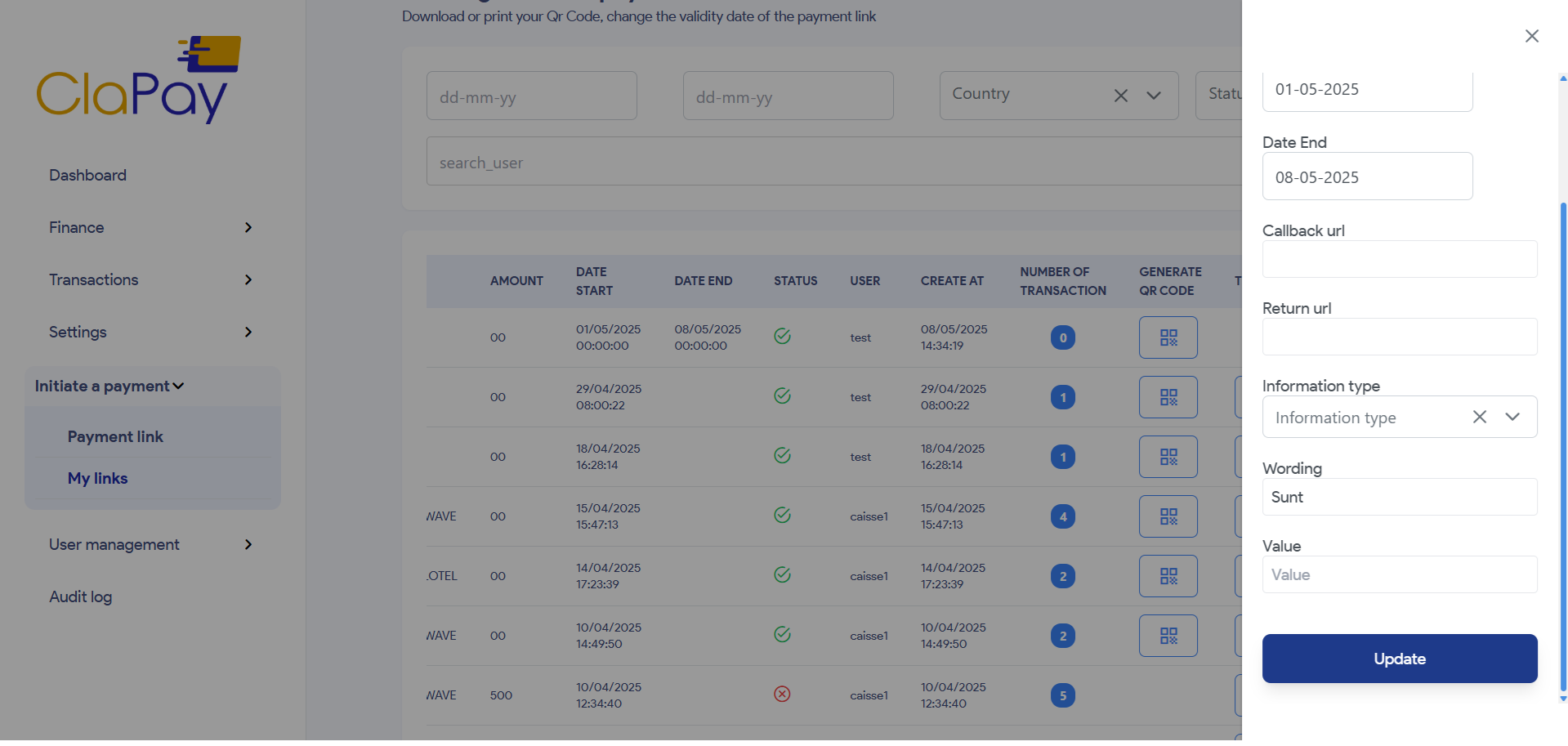
You can update the information of a payment link by clicking on the Edit Icon 🖊️ button in the table.
This will open a new modal where you can edit the link details 🧩.
Edit the link information as needed and click Update to confirm the changes ✅.
Was this page helpful?