🏦 Mass Bank Payments
This section explains how to use the mass bank transfer payment forms to initiate transfers from your virtual bank account to external bank accounts.
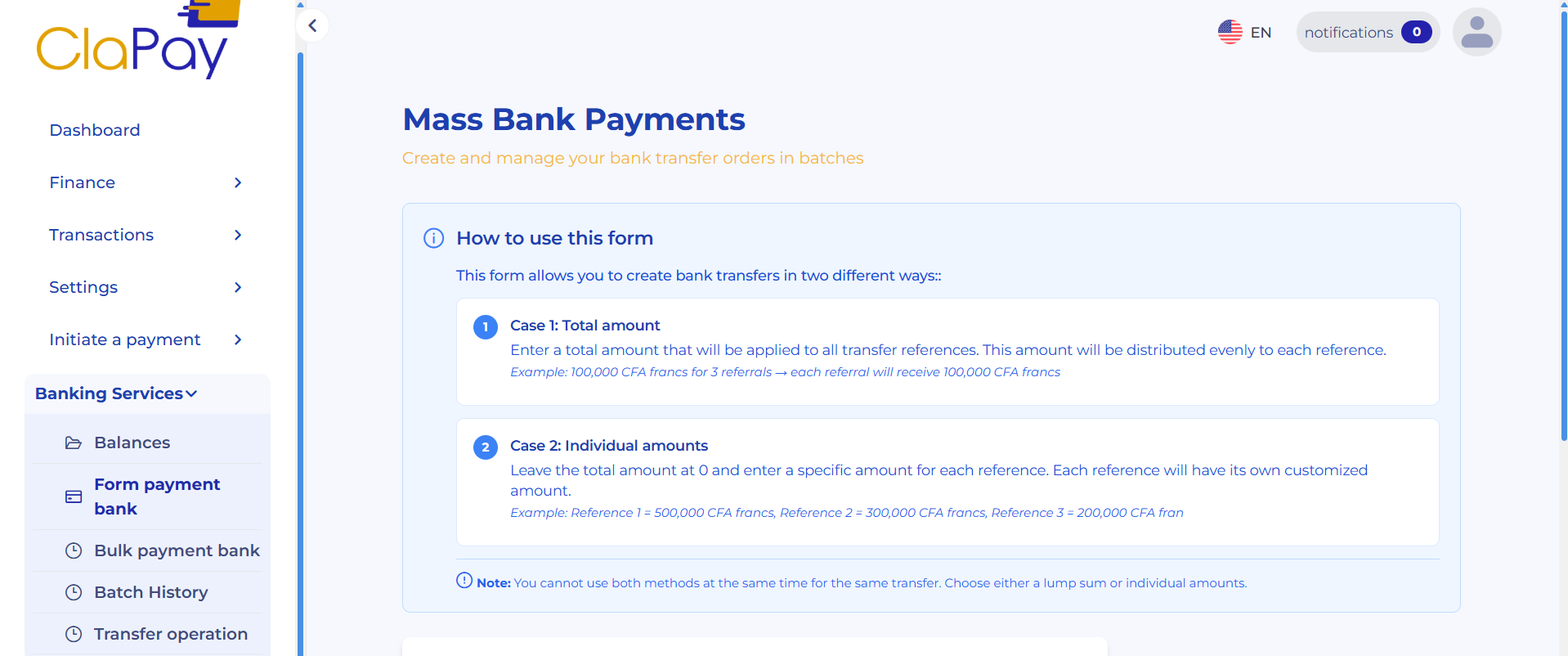
📝 Completing the mass bank payment
Fill in the required fields in the mass bank transfer payment form, as illustrated below 👇 :
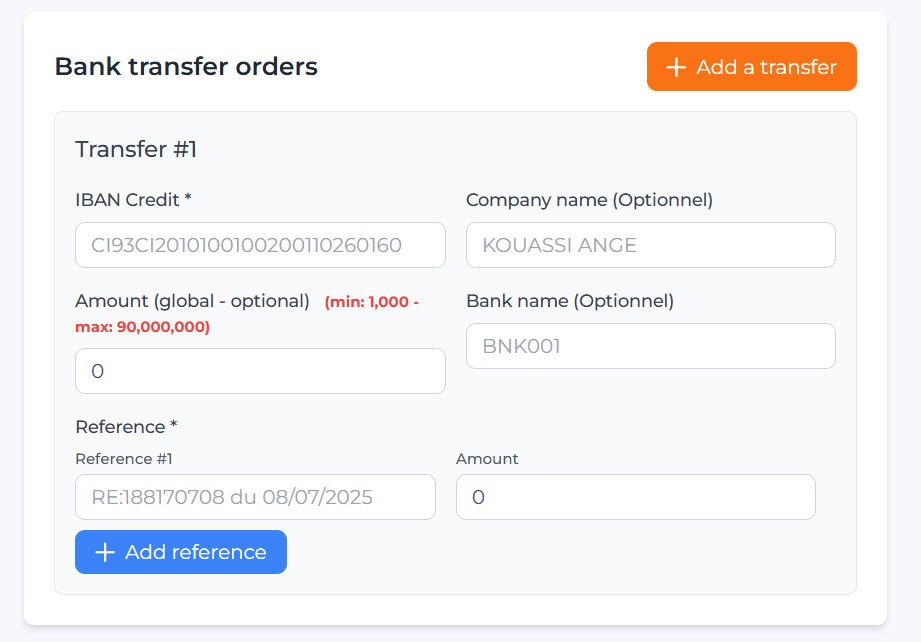
Please note that you can add multiple beneficiaries by clicking the Add a transfer button located at the bottom of the form.
The fields to be completed are as follows:
-
IBAN Credit : Enter the beneficiary’s bank account IBAN.
-
Company name : Enter the company or beneficiary name.
-
Amount : Specify the amount to be transferred.
-
Global amount : This amount will be applied identically to all beneficiaries.
-
Bank name : Enter the beneficiary’s bank name.
-
Reference : Enter a payment reference (you can add multiple references by clicking the add button).
The Amount and Global amount fields are mutually exclusive. Only one of these two fields can be filled in at a time.
-
If you wish to transfer different amounts to multiple beneficiaries, fill in the Amount field for each beneficiary individually.
-
If you wish to transfer the same amount to all beneficiaries, use the Global amount field and leave the Amount field empty for each beneficiary.
✅ Generate the Transfer
Once all required fields have been completed, click the Generate transfer button to initiate the payment process.
If, for any reason, you wish to cancel the operation, click the Reset button.

Was this page helpful?